
OopsSec Store exposes PATCH /api/orders/:id to update an order’s status. The handler trusts the authToken cookie alone: there is no CSRF token, no Origin check, no Referer check. The cookie is set with sameSite: "lax", so any page the admin loads in the same browser can issue the request and the server will execute it.
Table of contents
Open Table of contents
Lab setup
From an empty directory:
npx create-oss-store oss-store
cd oss-store
npm start
Or with Docker (no Node.js required):
docker run -p 127.0.0.1:3000:3000 leogra/oss-oopssec-storeThe application runs at http://localhost:3000.
Vulnerability overview
The admin dashboard at /admin lists every order in the system and offers a status selector that issues a PATCH /api/orders/:id request with a JSON body of the form { "status": "DELIVERED" }.
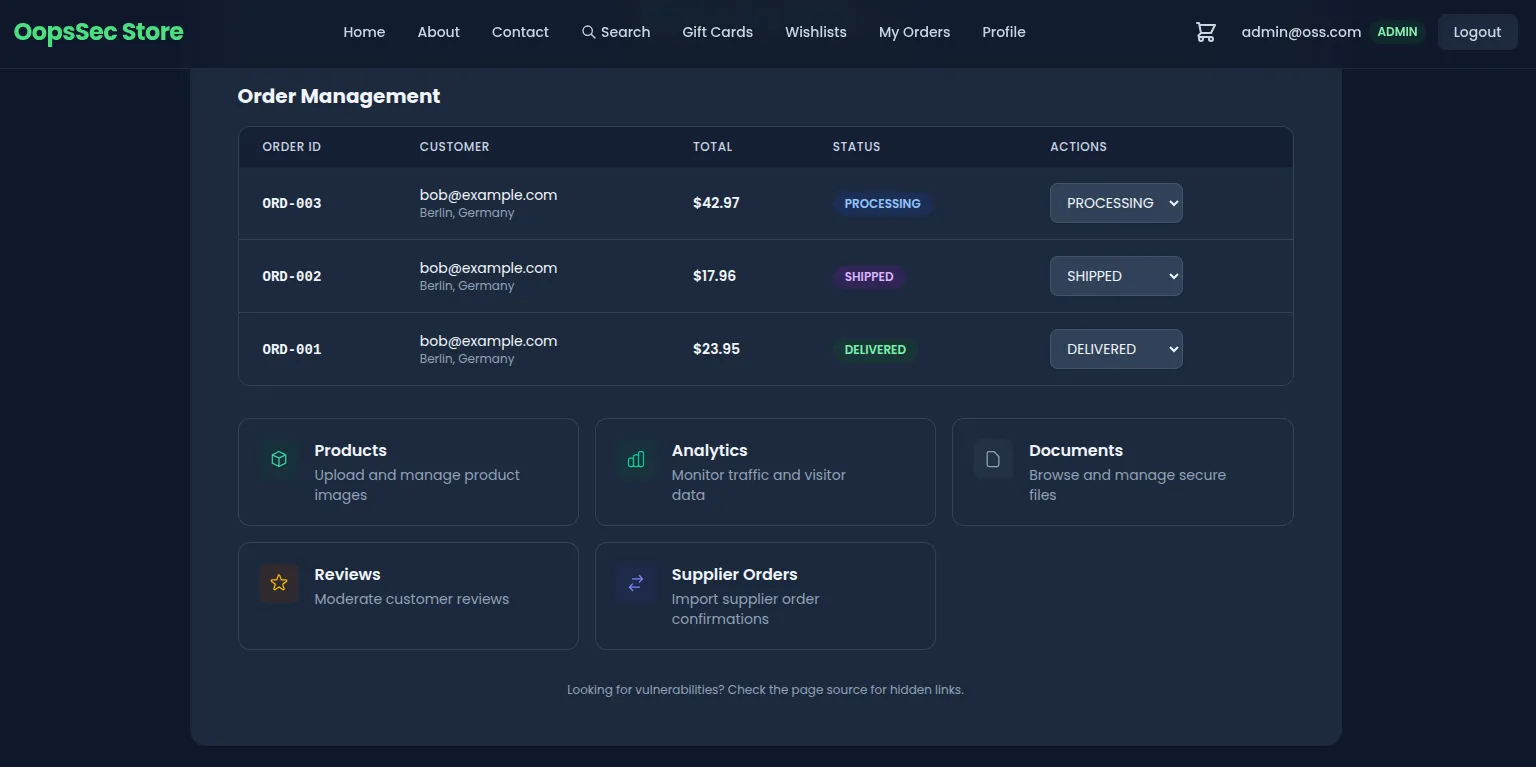
The handler performs three operations:
- Reads the
authTokencookie and resolves the current user. - Verifies the user has the
ADMINrole. - Updates the order with the supplied status.
Nothing sits between steps 1 and 3 to prove the request actually came from the admin’s UI. The endpoint treats authentication as authorization. With sameSite: "lax" on the auth cookie, the browser also attaches it on top-level cross-site navigations and on every same-origin request, which is all an attacker page needs.
Exploitation
The lab serves the attacker page from the same origin (/exploits/csrf-attack.html) so the exploit works without setting up DNS or hosting. The same exploit works from a third-party origin too, either by carrying the request through a top-level navigation or against any deployment that loosens sameSite.
Step 1: Authenticate as an administrator
Sign in with an account that has the ADMIN role. If no such account is available, escalate using one of the other vulnerabilities in the lab (mass assignment on registration, JWT weak secret, etc.). After login, the browser holds an HTTP-only authToken cookie scoped to the application origin.
Step 2: Identify a target order
Open /admin and pick an order to manipulate. The walkthrough uses ORD-003 in PENDING status as the target. Any order will work; the flag is not tied to a specific identifier.
Step 3: Locate the exploit page
View the page source of /admin. A hidden link points to:
/exploits/csrf-attack.htmlThis file ships with the lab and simulates a phishing page that an attacker would normally host on a third-party domain.
Step 4: Trigger the request
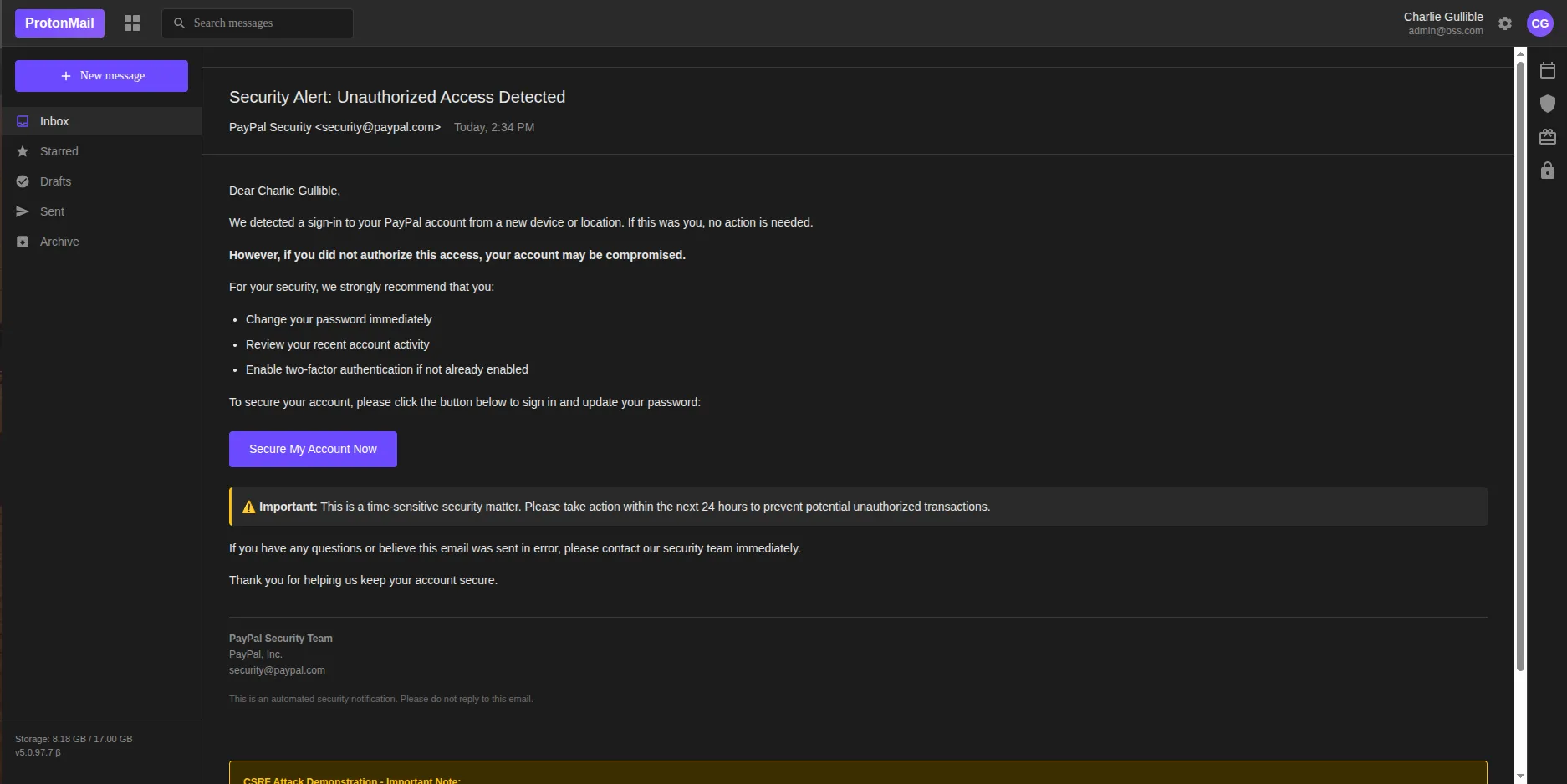
While still authenticated, open http://localhost:3000/exploits/csrf-attack.html. The page is styled as a PayPal account-security notification with a single call-to-action button. Clicking it executes the following request:
fetch("/api/orders/ORD-003", {
  method: "POST",
  credentials: "include",
  headers: { "Content-Type": "application/json" },
  body: JSON.stringify({ status: "DELIVERED" }),
});
The route handler is registered for both POST and PATCH, so either verb hits the same code path. The credentials: "include" flag instructs the browser to attach cookies. Because the request originates from the same origin, sameSite: "lax" does not block it. The server receives a fully authenticated admin request and updates the order.
Flag retrieval
The vulnerable endpoint returns the flag in its JSON response when the status update succeeds:
{
  "success": true,
  "order": { "id": "ORD-003", "status": "DELIVERED" },
  "flag": "OSS{cr0ss_s1t3_r3qu3st_f0rg3ry}"
}
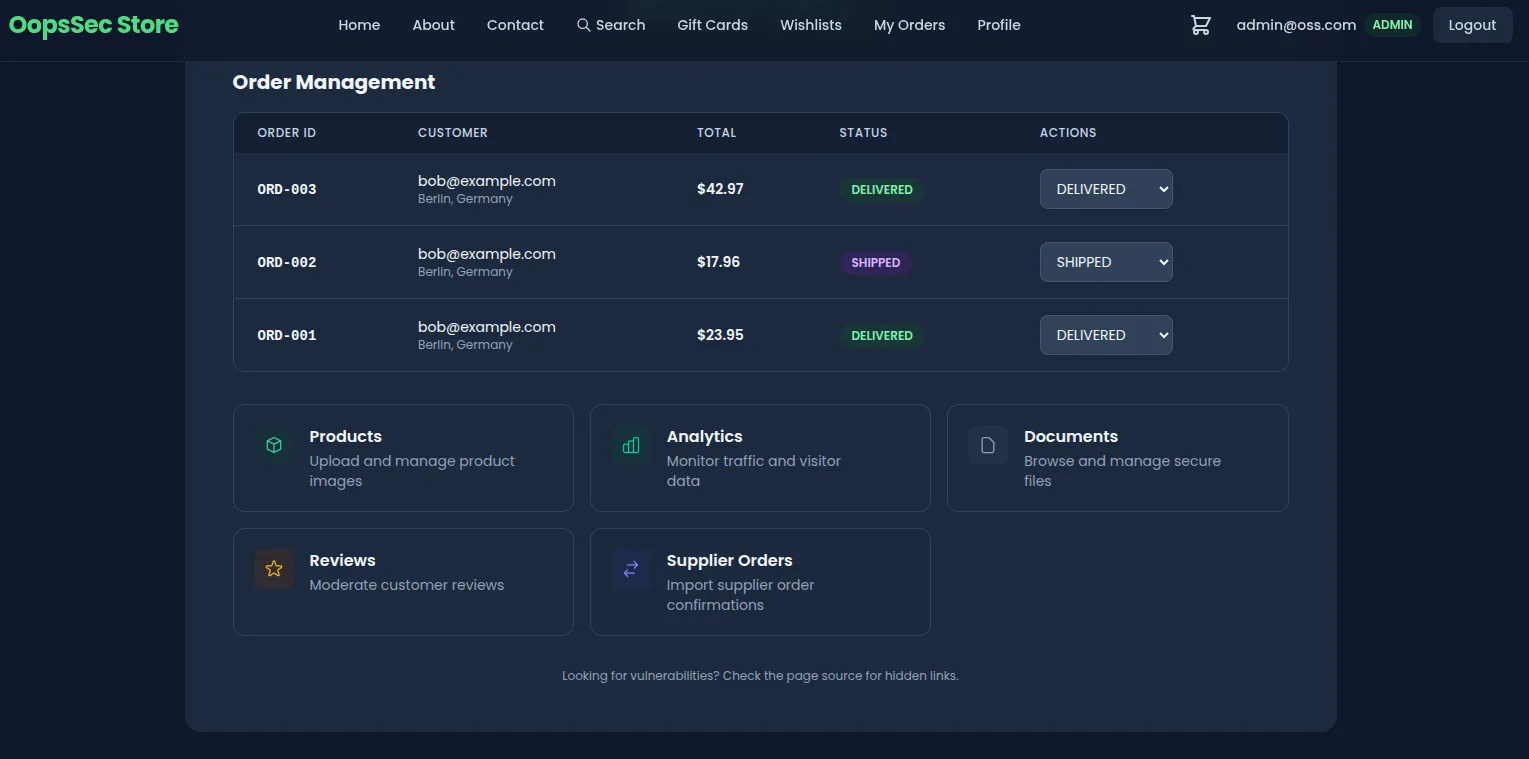
Reloading /admin confirms the persisted change: the targeted order now shows the new status. The admin never touched the dashboard.
Vulnerable code analysis
The handler authenticates the user and checks the role, then writes:
export async function PATCH(
  request: NextRequest,
  { params }: { params: Promise<{ id: string }> }
) {
  const user = await getAuthenticatedUser(request);
  // No CSRF token validation
  // No Origin or Referer header check
  const { status } = await request.json();
  await prisma.order.update({ where: { id }, data: { status } });
}
The cookie configuration makes things worse:
response.cookies.set("authToken", token, {
  httpOnly: true,
  secure: process.env.NODE_ENV === "production",
  sameSite: "lax",
  maxAge: 60 * 60 * 24 * 7,
  path: "/",
});
httpOnly: true blocks JavaScript reads, which helps against token theft via XSS. It does nothing against CSRF, because CSRF does not need to read the cookie — it just needs the browser to send it. The sameSite semantics:
| Value | Cross-site cookie behavior |
|---|---|
strict | Cookie never sent on cross-site requests, including top-level navigation. |
lax | Cookie sent on top-level navigations (GET) but not on cross-site fetch. |
none | Cookie always sent; requires secure: true. |
In this lab the exploit page is same-origin, so lax does not apply at all. Even on a real cross-site deployment, lax still permits cookies on top-level GET navigations and on any same-site context, so it is not on its own enough to stop CSRF.
Remediation
No single one of the controls below is enough; apply them together.
Tighten the authentication cookie
Set sameSite: "strict" on the cookie that authorizes state-changing operations. Strict keeps the cookie out of every cross-site context, top-level navigation included:
response.cookies.set("authToken", token, {
  httpOnly: true,
  secure: true,
  sameSite: "strict",
  maxAge: 60 * 60 * 24 * 7,
  path: "/",
});
If strict breaks legitimate flows like email links landing on an authenticated page, split the session: a long-lived lax cookie for navigation and a separate strict cookie required for sensitive endpoints.
Require a CSRF token on state-changing routes
Issue a per-session token at login, hand it to the client via a non-httpOnly cookie or a bootstrap endpoint, and require the client to echo it back in a custom header:
const tokenFromCookie = request.cookies.get("csrfToken")?.value;
const tokenFromHeader = request.headers.get("X-CSRF-Token");

if (!tokenFromCookie || tokenFromCookie !== tokenFromHeader) {
  return NextResponse.json({ error: "Invalid CSRF token" }, { status: 403 });
}
A cross-origin attacker page cannot read cookies for the target origin, and it cannot set custom headers on a cross-origin request without a passing CORS preflight. It can supply at most one half of the pair.
Validate the Origin header
For non-GET requests, reject anything whose Origin (or, failing that, Referer) is not on an explicit allowlist:
const origin = request.headers.get("origin");
const allowedOrigins = ["https://yourdomain.com"];

if (!origin || !allowedOrigins.includes(origin)) {
  return NextResponse.json({ error: "Invalid origin" }, { status: 403 });
}
The check is cheap and runs before any business logic. It catches most cross-origin CSRF attempts even when the token-based defense is misconfigured or partially deployed.