
The admin panel in OopsSec Store lets you upload product images, including SVGs. Since SVG is just XML, you can embed a <script> tag in one, upload it as a product image, and the JavaScript runs in the browser of anyone who views that product.
Table of contents
Open Table of contents
Prerequisites
You need admin access. Two attack chains can get you there:
Do those first.
Lab setup
If OopsSec Store isn’t already running locally:
npx create-oss-store oss-store
cd oss-store
npm start
Or with Docker (no Node.js required):
docker run -p 127.0.0.1:3000:3000 leogra/oss-oopssec-storeOnce it’s up, go to http://localhost:3000 and log in with the admin credentials you recovered.
Vulnerability overview
The admin panel has a product editor where you can upload images. SVG is in the list of allowed formats, and that’s the whole problem: SVG files can contain JavaScript.
Two things make this exploitable:
- The server only checks the
Content-Typeheader, which the client controls entirely - The frontend renders SVGs with an
<object>tag, which executes embedded scripts (an<img>tag would not)
Upload a malicious SVG as a product image, and the script runs for every user who loads that product page, the admin preview included.
Exploitation
Finding the upload
Go to http://localhost:3000/admin/products. You can edit any product and swap its image.

Crafting the SVG
Create xss.svg:
<?xml version="1.0" encoding="UTF-8"?>
<svg xmlns="http://www.w3.org/2000/svg" viewBox="0 0 100 100">
  <rect width="100" height="100" fill="#4ade80"/>
  <script type="text/javascript">
    alert('XSS executed!');
  </script>
</svg>
Just a green square with an alert().
Uploading it
- Pick a product to edit
- Upload
xss.svgas its image - Save
The server doesn’t inspect the file contents. You get the flag right after a successful upload.
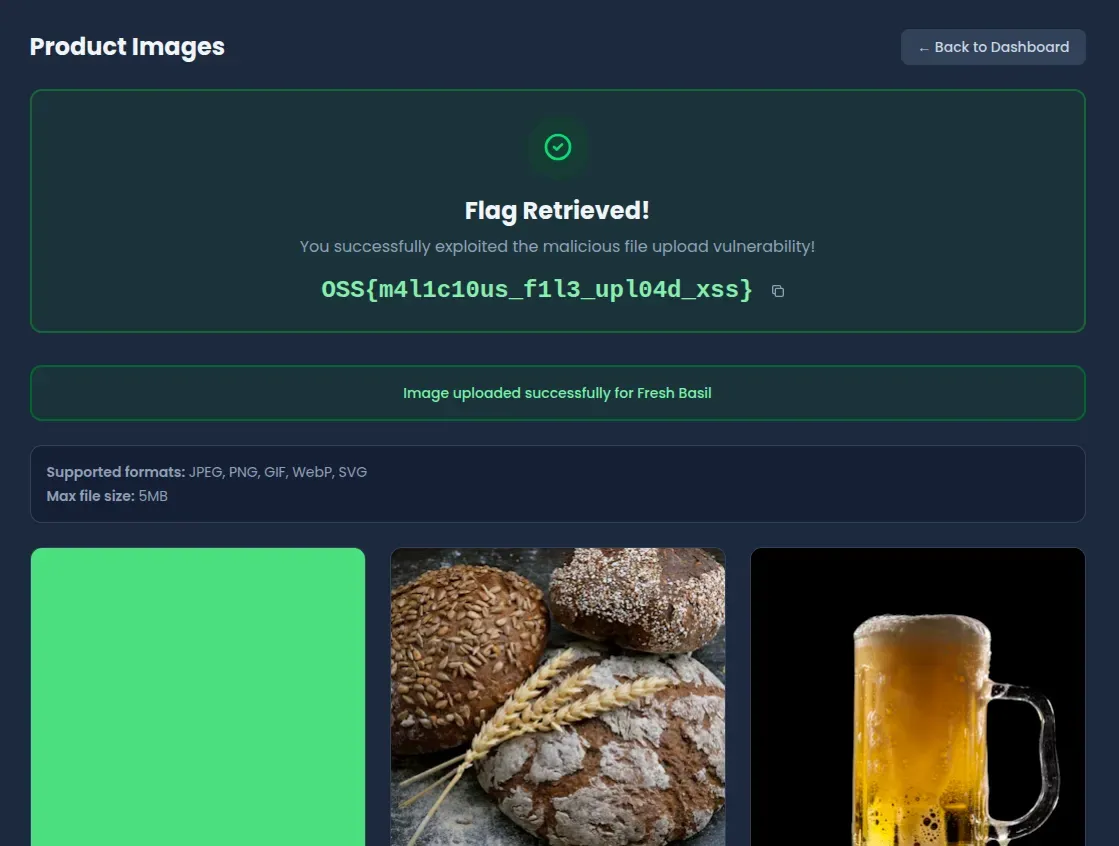
Triggering execution
The script fires on the product page (/products/[product-id]), in the admin panel preview, and if you access the file directly at /api/uploads/[filename].svg. The browser parses the SVG, hits the <script>, and runs it.
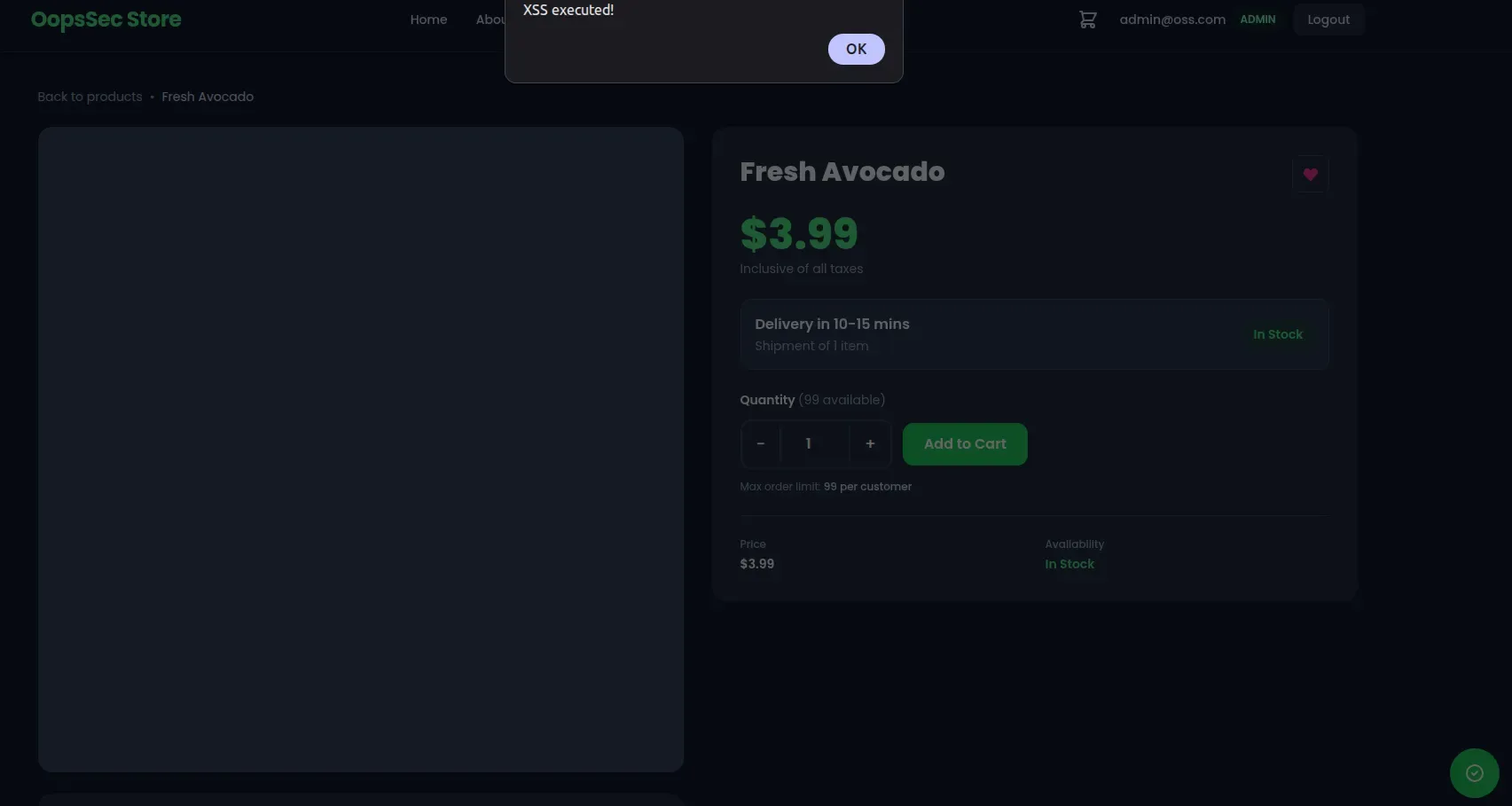
Vulnerable code analysis
Server-side: header-only validation
The upload endpoint checks file.type, which is just the Content-Type header from the request. The client sets that, so it means nothing:
const ALLOWED_CONTENT_TYPES = [
  "image/jpeg",
  "image/png",
  "image/gif",
  "image/webp",
  "image/svg+xml", // SVG files can contain JavaScript
];

if (!ALLOWED_CONTENT_TYPES.includes(file.type)) {
  return NextResponse.json({ error: "Invalid file type" }, { status: 400 });
}
No magic byte inspection, no content scanning. Whatever the client says the file is, the server believes.
Frontend: <object> tag rendering
The product page uses <object> for SVGs:
{
  product.imageUrl.endsWith(".svg") ? (
    <object
      data={product.imageUrl}
      type="image/svg+xml"
      className="h-full w-full object-cover"
    >
      <img src={product.imageUrl} alt={product.name} />
    </object>
  ) : (
    <Image src={product.imageUrl} alt={product.name} />
  );
}
<object> treats the SVG as a full document and runs scripts inside it. An <img> tag would render the SVG but block script execution.
Remediation
The fix has three parts, and you should apply all of them. Any one alone would stop this particular exploit, but defense in depth matters when you’re handling user uploads.
First, stop trusting the Content-Type header and inspect the actual bytes:
import { fileTypeFromBuffer } from "file-type";

const buffer = Buffer.from(await file.arrayBuffer());
const detectedType = await fileTypeFromBuffer(buffer);

const SAFE_MIME_TYPES = ["image/jpeg", "image/png", "image/gif", "image/webp"];

if (!detectedType || !SAFE_MIME_TYPES.includes(detectedType.mime)) {
  return NextResponse.json({ error: "Invalid file type" }, { status: 400 });
}
SVG isn’t on the safe list, so this blocks the upload entirely. If you actually need SVG support, sanitize it server-side with DOMPurify before saving:
import DOMPurify from "isomorphic-dompurify";

if (file.type === "image/svg+xml") {
  const svgContent = buffer.toString("utf-8");
  const sanitizedSvg = DOMPurify.sanitize(svgContent, {
    USE_PROFILES: { svg: true, svgFilters: true },
  });
  buffer = Buffer.from(sanitizedSvg);
}
This strips <script> tags and event handlers from the SVG content.
Finally, serve uploaded files with headers that prevent script execution regardless of what got through:
// next.config.js
headers: [
  {
    source: "/api/uploads/:path*",
    headers: [
      { key: "Content-Security-Policy", value: "script-src 'none'" },
      { key: "X-Content-Type-Options", value: "nosniff" },
    ],
  },
];
script-src 'none' blocks all script execution in the response. nosniff stops browsers from guessing a different content type.