
The product reviews feature in OopsSec Store doesn’t sanitize input. At all. You can drop a <script> tag into a review, it gets saved to the database, and it runs in every visitor’s browser. Here’s how to go from a comment box to stealing a flag.
Table of contents
Open Table of contents
Lab setup
From an empty directory:
npx create-oss-store oss-store
cd oss-store
npm start
Or with Docker (no Node.js required):
docker run -p 127.0.0.1:3000:3000 leogra/oss-oopssec-storeThe app runs at http://localhost:3000.
Vulnerability overview
Users can submit reviews on product pages. Those reviews get stored in the database and displayed back when someone loads the page. The problem: the server saves whatever you type without sanitization, and the frontend renders it as raw HTML. If your “review” happens to be a script tag, the browser will execute it.
Here’s what happens:
- Submit a review containing JavaScript
- The backend stores it as-is
- Any user who visits the product page gets the review injected into their DOM
- The browser executes the script in that user’s session
Locating the attack surface
Go to any product page and scroll down to the reviews section. There’s a list of existing reviews and a form to add your own.
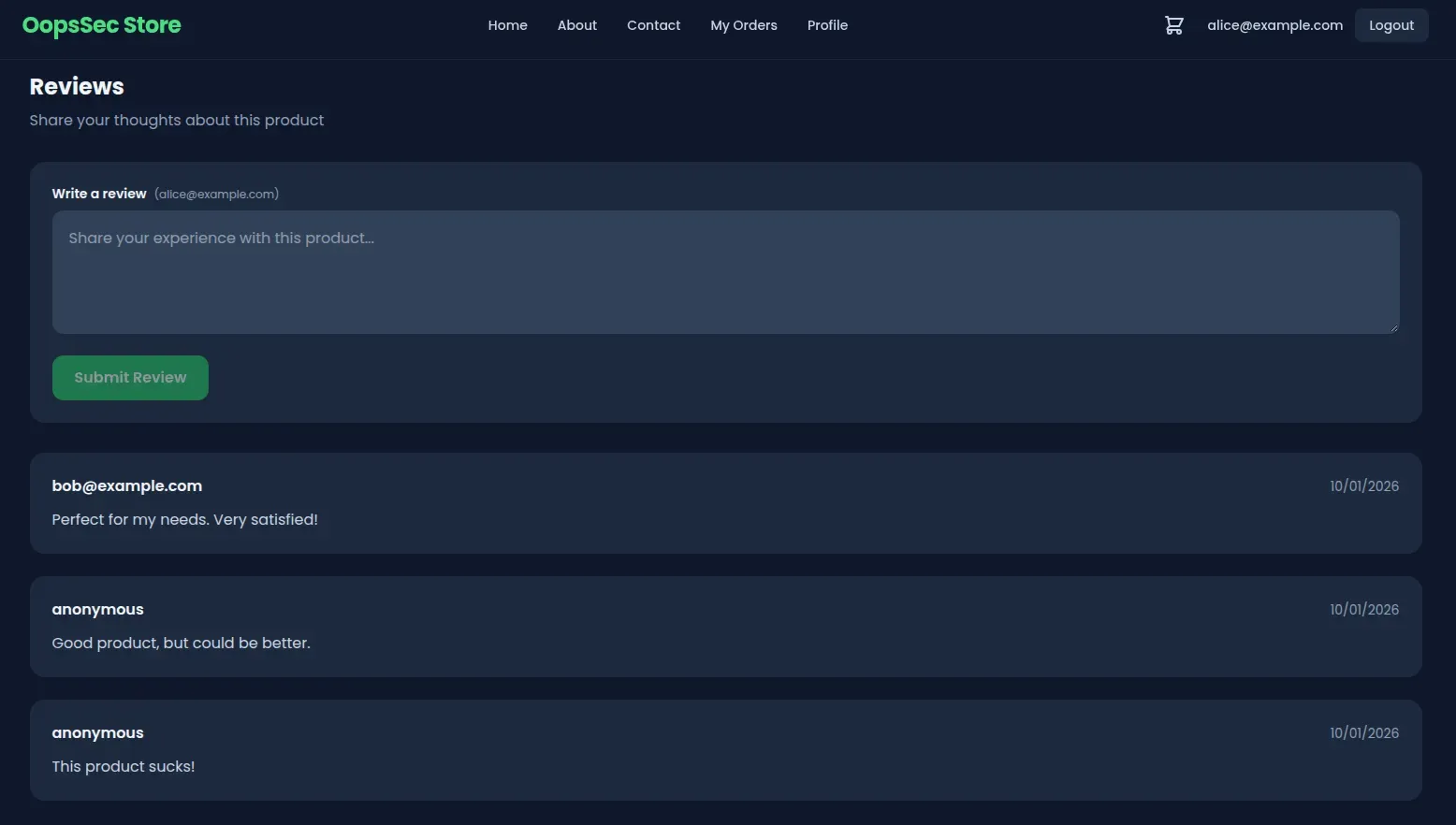
Submitting a review sends a POST to /api/products/[id]/reviews. The backend stores the content directly, the frontend renders it without escaping.
Exploitation
Discovering the target
Looking through existing reviews, there’s a comment from “Mr. Robot”:
“Heard the devs left some old flags lying around at the root… files that say exactly what they are. Classic mistake!”
A flag file at the application root. Given the naming convention, /xss-flag.txt is the obvious guess.
Crafting the payload
First, confirm the XSS works:
<script>
  alert("XSS");
</script>
If that pops an alert, input is being executed as code.
Now the real payload — fetch the flag and display it:
<script>
  fetch("/xss-flag.txt")
    .then(r => r.text())
    .then(flag => alert("Flag: " + flag));
</script>
Executing the attack
- Open any product page in OopsSec Store
- Scroll to the reviews section
- Paste the payload into the review textarea
- Click Submit
The API saves it as a regular review. No validation, no filtering.
Triggering the vulnerability
Refresh the page. The malicious review loads from the database, gets injected into the DOM, and the browser sees the <script> tag and runs it.
The script fetches /xss-flag.txt (same-origin, no CORS issues) and pops the flag:
OSS{cr0ss_s1t3_scr1pt1ng_xss}Anyone who visits this product page from now on triggers the same script.
Vulnerable code analysis
Server-side: no input sanitization
The API endpoint stores whatever the user sends:
const review = await prisma.review.create({
  data: {
    productId: id,
    content: content.trim(), // No sanitization performed
    author,
  },
});
trim() strips whitespace. HTML and JavaScript pass through untouched.
Client-side: raw HTML injection
The frontend injects review content into the DOM through a ref:
<div
  ref={el => {
    reviewRefs.current[review.id] = el; // Raw HTML injection
  }}
  className="text-slate-700 dark:text-slate-300"
/>
This sidesteps React’s built-in XSS protection. Normally React escapes anything passed as a JSX expression, but setting HTML through a ref bypasses that.
Remediation
Server-side sanitization
Strip dangerous HTML before it hits the database. DOMPurify handles this:
import DOMPurify from "isomorphic-dompurify";

const review = await prisma.review.create({
  data: {
    productId: id,
    content: DOMPurify.sanitize(content.trim()),
    author,
  },
});
Script tags and event handlers get removed before anything is saved.
Client-side safe rendering
Let React do what it’s designed to do — escape HTML:
<div className="text-slate-700 dark:text-slate-300">{review.content}</div>Passing content as a JSX expression means React escapes HTML entities automatically.
Apply both fixes. Server-side sanitization stops malicious content from entering the database. Client-side escaping stops it from executing even if something slips through. Either one blocks this attack on its own, but XSS is one of those things where you really want both layers.