
This writeup chains a SQL injection with weak password hashing to get admin access. We use the database dump from the SQL injection writeup to grab password hashes, then crack the admin password thanks to unsalted MD5.
Table of contents
Open Table of contents
Lab setup
From an empty directory:
npx create-oss-store oss-store
cd oss-store
npm start
Or with Docker (no Node.js required):
docker run -p 127.0.0.1:3000:3000 leogra/oss-oopssec-storeThe app runs at http://localhost:3000.
Target identification
The order search endpoint is vulnerable to SQL injection, which lets us dump the entire users table. The passwords in that table are hashed with unsalted MD5, so recovering the plaintext is almost instant.
The admin panel at /admin sits behind authentication. If we can crack the admin password, we’re in.
Exploitation
Step 1: Extracting the users table
First, exploit the SQL injection from the SQL Injection writeup. The dumped response gives us the full users table: emails, roles, and password hashes.
Step 2: Identifying the admin account
In the extracted data, one user has the ADMIN role:
| Field | Value |
|---|---|
admin@oss.com | |
| Role | ADMIN |
| Password hash | 21232f297a57a5a743894a0e4a801fc3 |
32 hex characters, no salt prefix, no encoding. That’s raw MD5.
Step 3: Cracking the MD5 hash
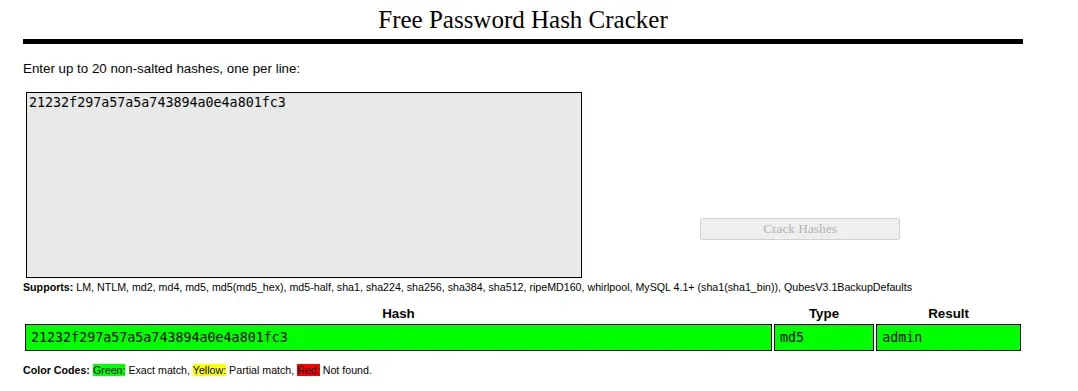
MD5 is fast and unsalted here, so cracking is trivial. The hash 21232f297a57a5a743894a0e4a801fc3 shows up in every rainbow table.
Option A: Online lookup
Paste the hash into CrackStation (https://crackstation.net/). It returns admin immediately.
Option B: Local dictionary attack
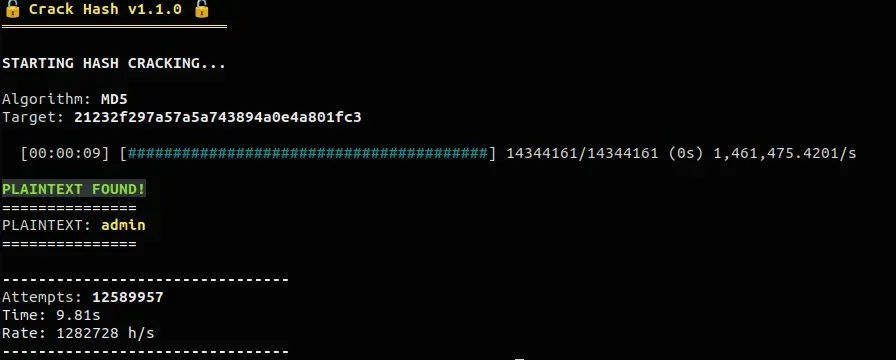
Any hash cracking tool with a common wordlist finds this in milliseconds. The password is admin and the algorithm is MD5 - not much of a challenge.
For example: https://github.com/kOaDT/crack-hash
Step 4: Authenticating as admin
Go to /login and log in:
- Email:
admin@oss.com - Password:
admin
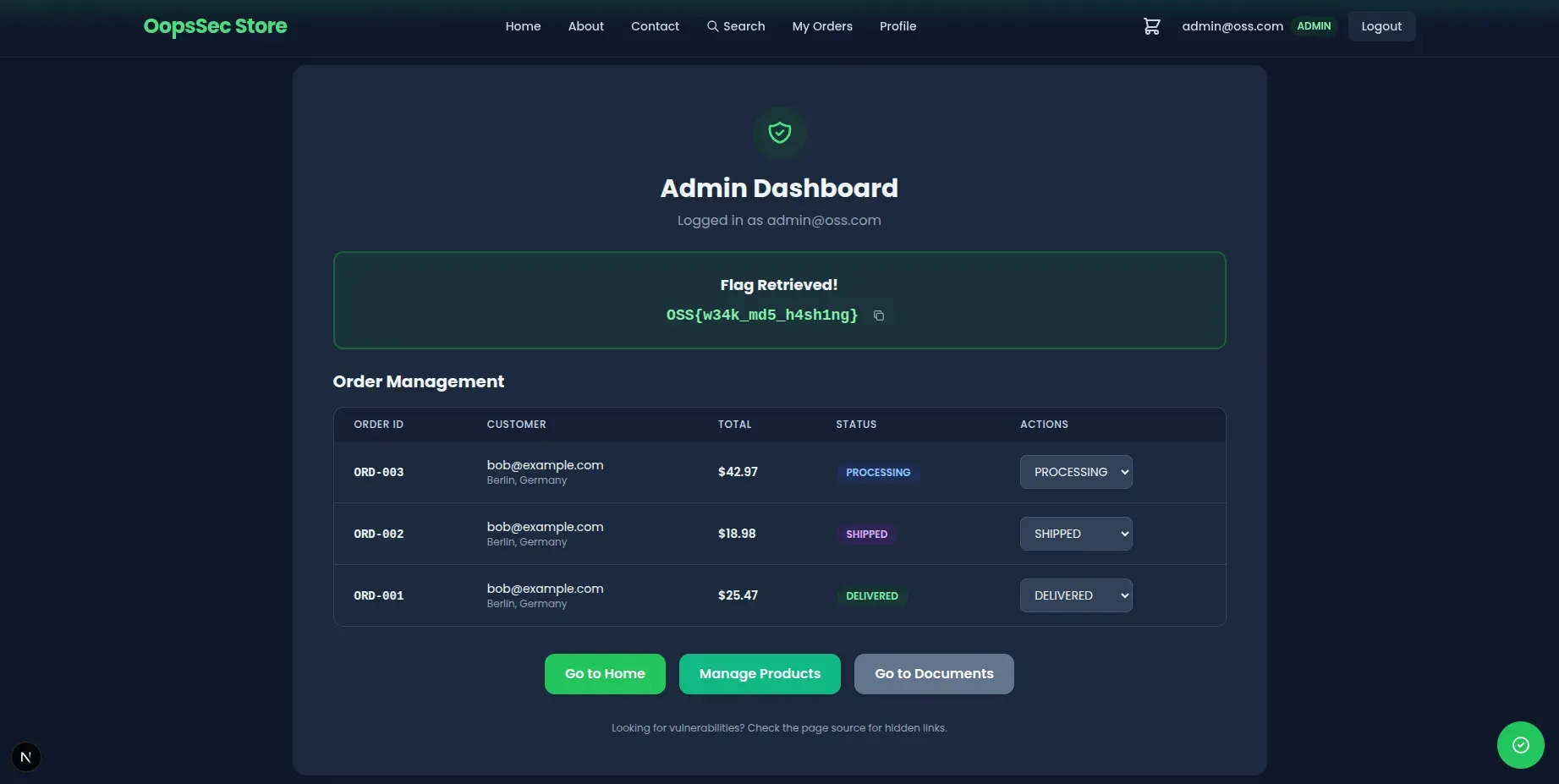
We land on the admin panel.
Step 5: Retrieving the flag
The flag is at the top of /admin:
OSS{w34k_md5_h4sh1ng}
Vulnerable code analysis
The app hashes passwords with raw MD5, no salt:
const hashedPassword = crypto.createHash("md5").update(password).digest("hex");No salt means identical passwords produce identical hashes, so rainbow tables work out of the box. MD5 is also built for speed. Modern GPUs churn through billions of hashes per second, which is exactly what you don’t want in a password hash. On top of that, MD5 has known collision vulnerabilities.
Once you have the SQL injection giving you the hashes, going from hash to plaintext takes seconds.
Remediation
Use bcrypt instead:
import bcrypt from "bcryptjs";

const hashPassword = async (password: string): Promise<string> => {
  return bcrypt.hash(password, 12);
};

const verifyPassword = async (
  password: string,
  hash: string
): Promise<boolean> => {
  return bcrypt.compare(password, hash);
};
bcrypt handles salting automatically - each password gets its own. The cost parameter (12 here) controls how slow hashing is, and you can bump it as hardware gets faster. It’s also memory-hard, which limits what GPUs can do.
Fix the SQL injection too, obviously. Use parameterized queries. This attack worked because two defenses were missing at once.