
Environment variables prefixed with NEXT_PUBLIC_ in a Next.js project are substituted into the client JavaScript bundle at build time. The browser receives the literal value, which means any user can read it from the network panel or by searching the static chunks under /_next/static/chunks/. The OopsSec Store challenge stores a payment credential under that prefix and forwards it as a custom HTTP header from the checkout page. Recovering the value takes a single request inspection in the browser.
Table of contents
Open Table of contents
Lab setup
From an empty directory:
npx create-oss-store oss-store
cd oss-store
npm start
Or with Docker (no Node.js required):
docker run -p 3000:3000 leogra/oss-oopssec-storeThe application runs at http://localhost:3000.
Vulnerability overview
The checkout page reads process.env.NEXT_PUBLIC_PAYMENT_SECRET and attaches the value to the order request as the X-Payment-Auth header. Because the variable carries the NEXT_PUBLIC_ prefix, the Next.js compiler replaces the call site with the literal string at build time. Every visitor who loads the checkout page downloads the credential as part of the page’s JavaScript, whether or not they ever click “Complete Payment”.
The configuration mistake is common in production codebases. The NEXT_PUBLIC_ prefix is often interpreted as a scoping rule, as if it meant “available to the application code”, when its actual effect is to publish the value to every client.
Locating the attack surface
The vulnerability is reachable from the checkout page at /checkout. After adding a product to the cart and proceeding through the flow, the payment summary is displayed.
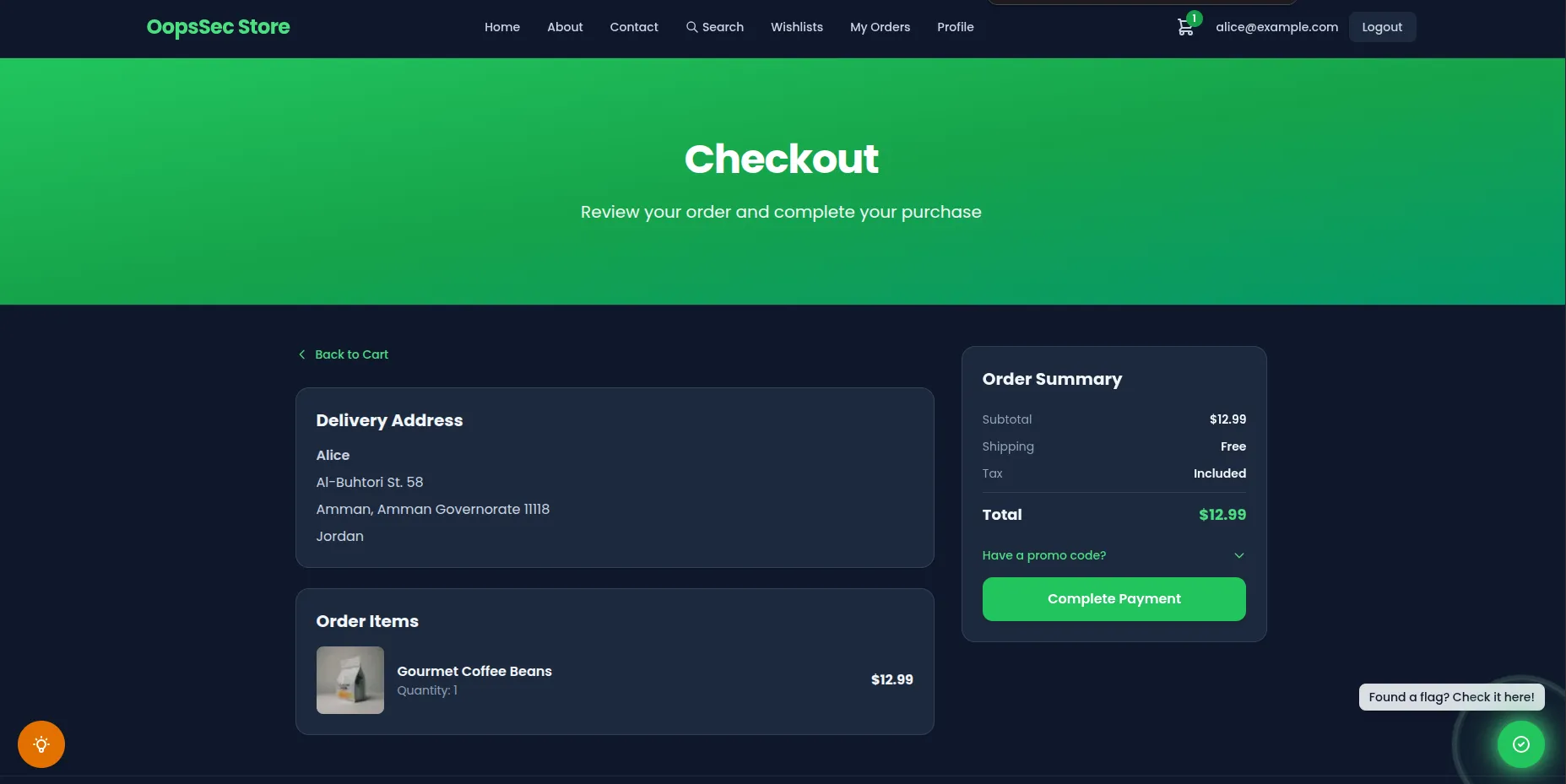
Submitting the form sends a POST /api/orders request. The UI itself shows nothing sensitive, so the leak is not observable from the rendered page.
Exploitation
1. Authenticate and reach the checkout page
Sign in with a seeded account (for example alice@example.com / iloveduck), add at least one product to the cart, and navigate to /checkout.
2. Open DevTools and capture the order request
Open the browser developer tools (F12, or Cmd+Option+I on macOS) and switch to the Network tab. Click Complete Payment and locate the POST /api/orders entry in the request list.
3. Inspect the outgoing request headers
In the Headers panel, scroll to Request Headers. The frontend has attached a custom header that does not belong to a normal browser request:
X-Payment-Auth: T1NTe3B1YmxpY18zbnZpcjBubWVudF92NHJpNGJsM30=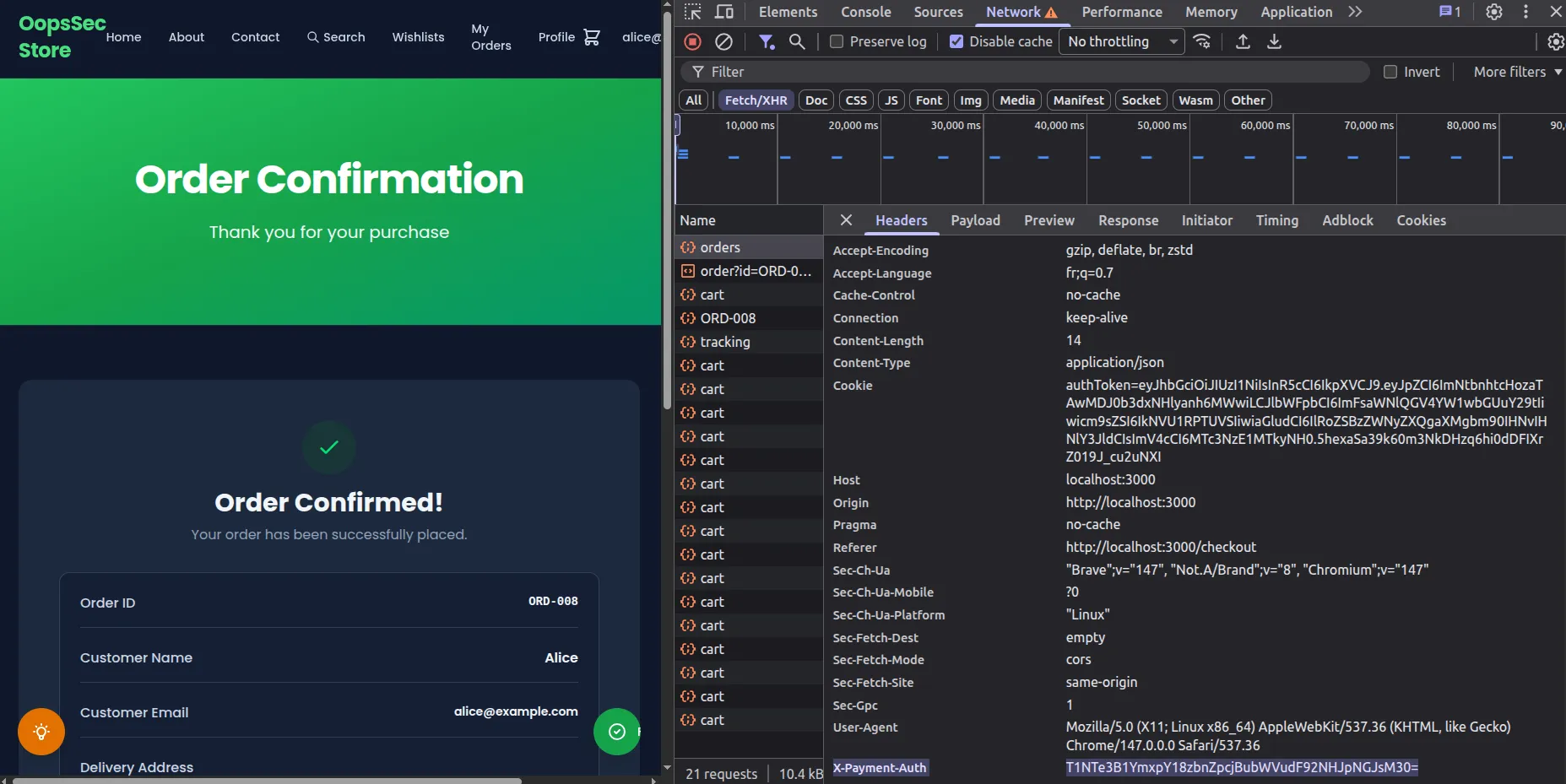
4. Decode the captured value
The value is base64-encoded. Decode it from the Console tab:
atob("T1NTe3B1YmxpY18zbnZpcjBubWVudF92NHJpNGJsM30=");The decoded output is the flag:
OSS{public_3nvir0nment_v4ri4bl3}5. Confirm the value is embedded in the static bundle
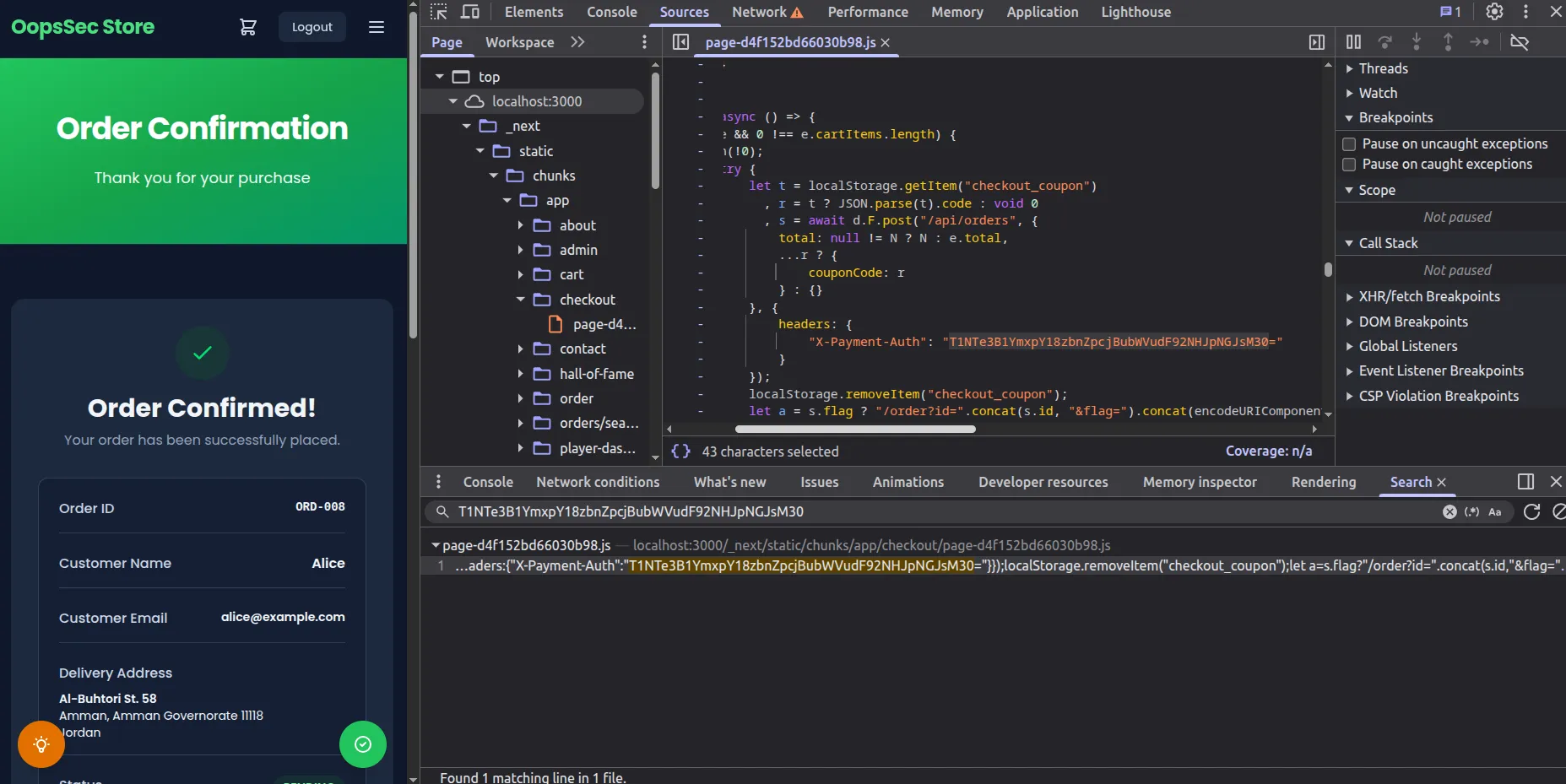
The same string can be retrieved without sending any request. Open the Sources tab, run a global search (Ctrl+Shift+F, or Cmd+Option+F on macOS) for the literal value, and Chrome will point to a minified file under /_next/static/chunks/. The string is inlined directly in the compiled chunk for the checkout client component.
Vulnerable code analysis
The checkout client component reads the environment variable and attaches it to the order request:
const paymentSecret = process.env.NEXT_PUBLIC_PAYMENT_SECRET ?? "";

const order = await api.post(
  "/api/orders",
  {
    total: discountedTotal ?? cartData.total,
  },
  {
    headers: { "X-Payment-Auth": paymentSecret },
  }
);
During the production build, the SWC compiler replaces process.env.NEXT_PUBLIC_PAYMENT_SECRET with the literal string defined in the environment file. The minifier later mangles local identifier names, but the substituted value is left untouched. As a result, the string NEXT_PUBLIC_PAYMENT_SECRET does not appear in the bundle, while the secret value does. Searching for the variable name returns nothing; searching for value-shaped patterns such as long base64 strings, sk_live_, pk_, or JWT tokens reveals the leak.
The Next.js documentation describes this behavior explicitly, but the prefix is regularly misread. Developers tend to interpret NEXT_PUBLIC_ as a scoping modifier when it is closer to a publication flag, and any value behind it ends up in the static asset bundle distributed to every client.
Remediation
Move the credential to the server
Code that needs access to the payment secret must run on the server. Drop the NEXT_PUBLIC_ prefix from the environment variable and read it from a route handler, a server action, or a server component:
// app/api/orders/route.ts
import { NextResponse } from "next/server";

export async function POST(req: Request) {
  const order = await req.json();
  const paymentSecret = process.env.PAYMENT_SECRET;

  const result = await fetch("https://payments.example.com/charge", {
    method: "POST",
    headers: { Authorization: `Bearer ${paymentSecret}` },
    body: JSON.stringify(order),
  });

  return NextResponse.json(await result.json());
}
The browser then calls the application’s own endpoint, and the upstream credential never leaves the server:
await fetch("/api/orders", {
  method: "POST",
  body: JSON.stringify(order),
});
Detect leaks at build time
A grep over the repository, run in CI, catches the most common variant: a NEXT_PUBLIC_ variable whose name contains SECRET, KEY, TOKEN, or PASSWORD.
grep -rE "NEXT_PUBLIC_.*(SECRET|KEY|TOKEN|PASSWORD)" .env* src/ app/Dedicated scanners such as TruffleHog and GitHub secret scanning will also flag the value once the bundle is pushed to a public branch.
Treat exposed values as compromised
Any credential that has been built into a client bundle should be rotated. Static asset URLs are cached by CDNs, archived by services such as the Internet Archive, and indexed by automated crawlers, so the value cannot be assumed to disappear when the next build is deployed.