
The OopsSec Store has a support form with a “screenshot URL” field. The backend fetches whatever URL you give it and shows you the response. Point it at localhost and you can read internal pages that are supposed to be off-limits.
Table of contents
Open Table of contents
Lab setup
From an empty directory:
npx create-oss-store oss-store
cd oss-store
npm start
Or with Docker (no Node.js required):
docker run -p 127.0.0.1:3000:3000 leogra/oss-oopssec-storeHead to http://localhost:3000.
Target identification
There’s a Contact Support page at http://localhost:3000/support with a few fields: email, title, description, and an optional screenshot URL.
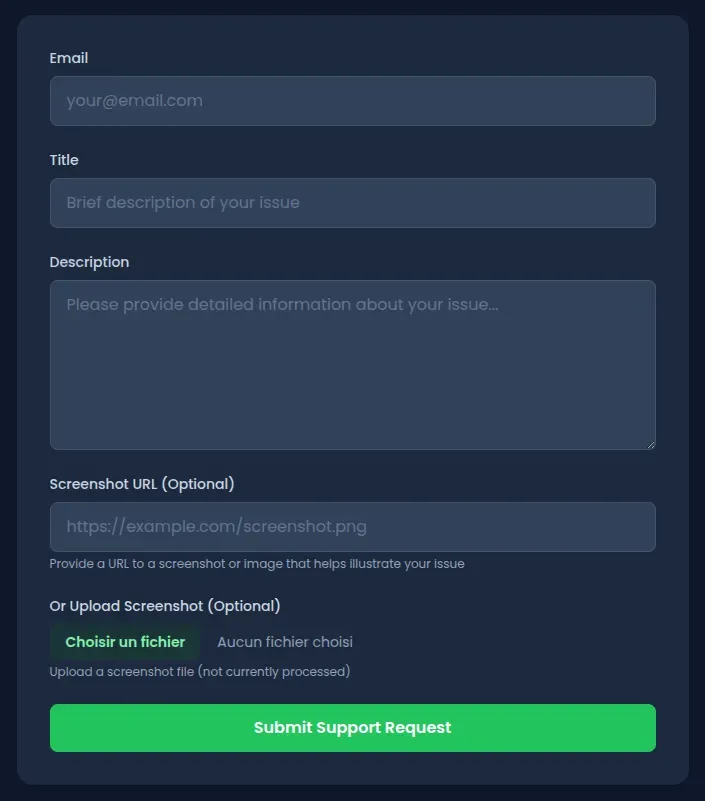
The screenshot URL field lets users attach visual context to their request. Submit the form and the app shows a recap with a rendered preview of whatever that URL points to. So the server is fetching the URL on your behalf and returning the content directly.
Exploitation
Step 1: Confirm the server is doing the fetching
Submit a support request with a public URL to make sure it’s the server making the request, not your browser:
- Go to
http://localhost:3000/support - Fill in the form:
- Email:
test@test.com - Title:
Test - Description:
Testing support - Screenshot URL:
https://example.com
- Email:
- Submit
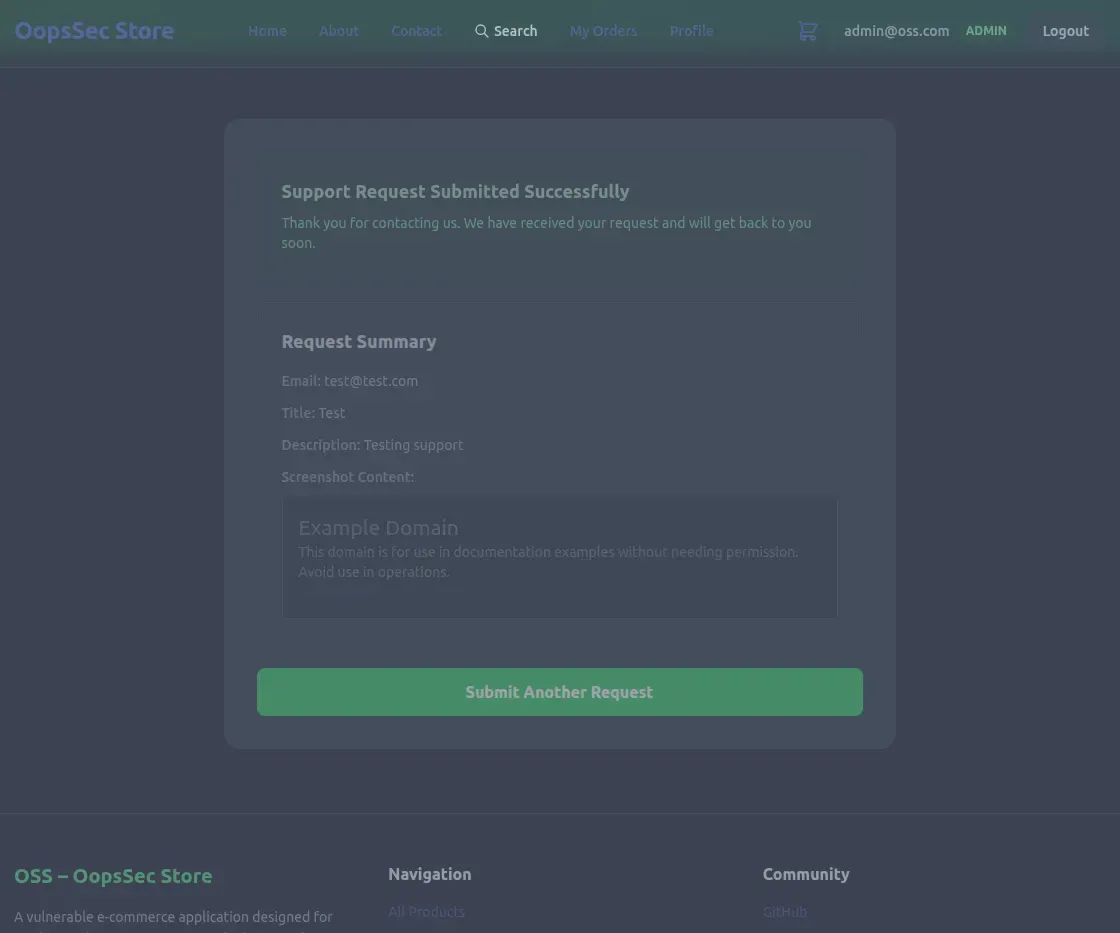
The recap page shows the raw HTML and CSS from example.com. The server is the one fetching.
Step 2: Find something internal
Now that the server will fetch any URL we give it, we need a target. Running a wordlist scan with ffuf or gobuster turns up an /internal endpoint that returns a 302. Visiting http://localhost:3000/internal in the browser just bounces you back to the homepage — the page exists but won’t let you in directly.
That redirect blocks browser requests. But server-side requests from localhost don’t go through the same path.
Step 3: Exploit the SSRF
Submit another support request, this time pointing at the internal page:
- Go to
http://localhost:3000/support - Fill in the form:
- Email:
test@test.com - Title:
Internal access test - Description:
Testing SSRF - Screenshot URL:
http://localhost:3000/internal
- Email:
- Submit
Step 4: Get the flag
The recap page renders the internal page’s HTML instead of redirecting. The server-side request bypasses the restriction because it originates from localhost.
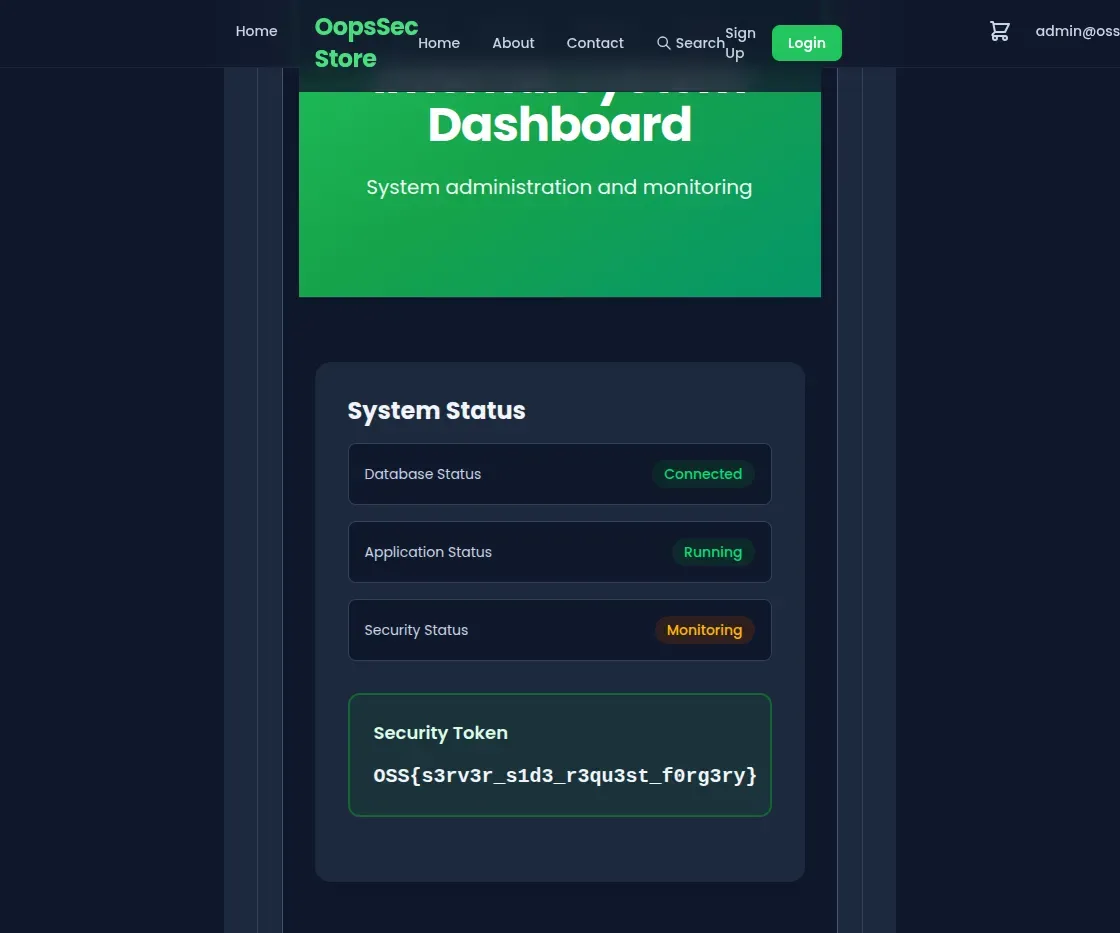
OSS{s3rv3r_s1d3_r3qu3st_f0rg3ry}Vulnerable code analysis
Here’s what happens when you submit the form:
- The API reads
screenshotUrlfrom your input - Calls
fetch()on it - Sends the response straight back to you
No validation on the URL. Nothing stops you from pointing it at localhost, 127.0.0.1, or any private IP range.
Remediation
Check the protocol first. Only allow HTTP and HTTPS:
const url = new URL(screenshotUrl);
if (!["http:", "https:"].includes(url.protocol)) {
  throw new Error("Invalid protocol");
}
Block internal addresses:
const BLOCKED_HOSTS = ["localhost", "127.0.0.1", "0.0.0.0"];
const PRIVATE_RANGES = [
  /^10\./,
  /^172\.(1[6-9]|2[0-9]|3[01])\./,
  /^192\.168\./,
];

if (
  BLOCKED_HOSTS.includes(url.hostname) ||
  PRIVATE_RANGES.some(range => range.test(url.hostname))
) {
  throw new Error("Internal addresses are not allowed");
}
Better yet, allowlist the domains you actually expect:
const ALLOWED_DOMAINS = ["cdn.example.com", "images.example.com"];
if (!ALLOWED_DOMAINS.includes(url.hostname)) {
  throw new Error("Domain not allowed");
}
Don’t return raw fetched content either. Store metadata or sanitize the response before showing it to anyone.